v0.1Latest
MIDI Filter
MIDI Filter
Selectively passes or blocks incoming MIDI messages based on note range and message type. Use it to isolate a keyboard split, drop unwanted controller data, or restrict a stream to notes only before it reaches downstream nodes. Add a MIDI Channel node upstream when a branch should only receive one MIDI channel.
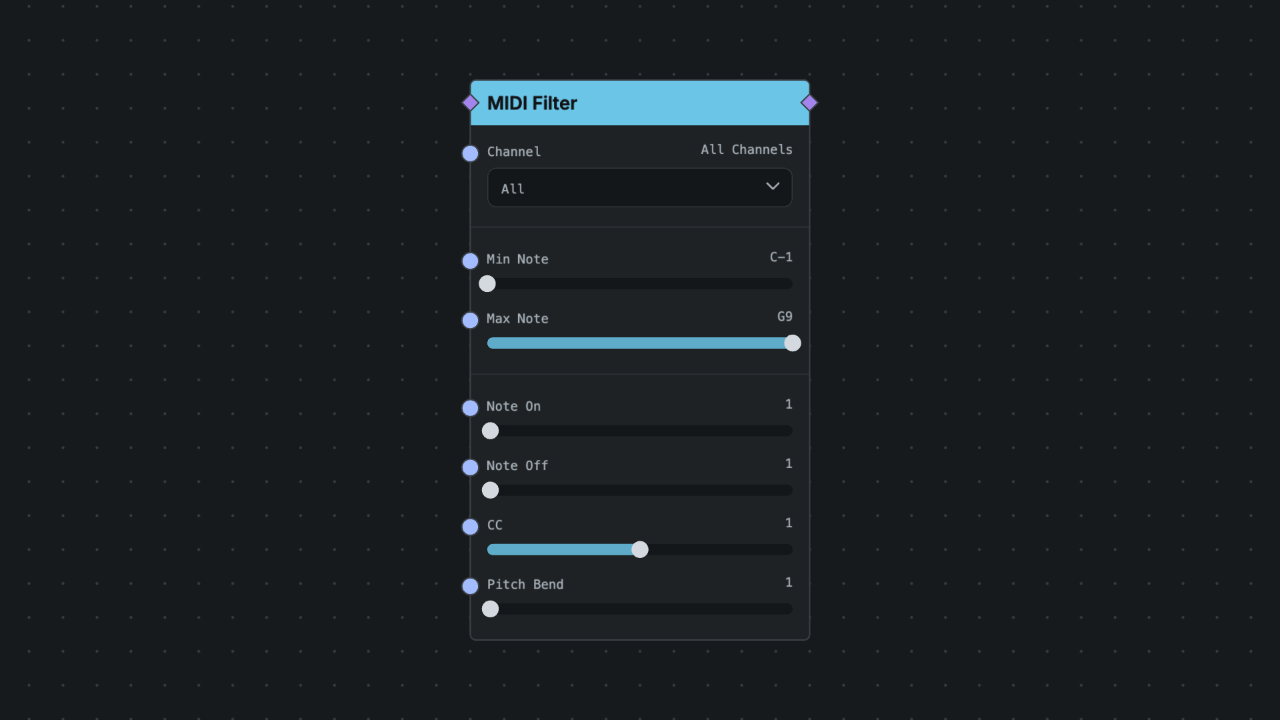
Inputs
MIDI In
- ID:
midi - Kind:
midi - Rate:
event - Coercion: Forbidden
- Description: MIDI message input
Outputs
MIDI Out
- ID:
midi - Kind:
midi - Rate:
event - Coercion: Forbidden
- Description: MIDI message output
Parameters
Min Note
- ID:
minNote - Type:
int - Control:
slider - Range or Options: 0 to 127 midiNote, step 1
- Default:
0 - Group: Range
Max Note
- ID:
maxNote - Type:
int - Control:
slider - Range or Options: 0 to 127 midiNote, step 1
- Default:
127 - Group: Range
Note On
- ID:
allowNoteOn - Type:
bool - Control:
toggle - Default:
true - Group: Types
Note Off
- ID:
allowNoteOff - Type:
bool - Control:
toggle - Default:
true - Group: Types
CC
- ID:
allowCC - Type:
bool - Control:
toggle - Default:
true - Group: Types
Pitch Bend
- ID:
allowPitchBend - Type:
bool - Control:
toggle - Default:
true - Group: Types
Notes
- Canonical ID:
midi.filter - Category:
midi - Runtime Surface: midi
- Runtime Targets:
control-main-thread - JUCE Early Access: Supported
- Early Access Note: Native-supported in the plugin for the current catalog/runtime support contract.