 Strangelight Audio
Save, load and reuse
Throughline keeps your work in four places. Each does a different job:
| Where | What it keeps | Use it to |
|---|---|---|
| DAW project | The patch in each plugin instance | Get your sound back when you reopen the project |
| Patch Library | Named patches on this computer | Reuse a patch in other projects |
| Patch file | One patch as a .tlpatch file |
Back up, share, or move a patch between computers |
| Local Library | Your own reusable Groups and nodes | Drop a building block you made into any patch |
Your DAW project
Throughline saves the patch with your DAW project automatically. Save the project and the sound comes back when you reopen it. Throughline restores the last version of the patch that played; nothing else is needed.
The other three places are copies. Changing a Patch Library entry or a file does not change a project that already uses the patch, and the reverse.
Save a patch
- Click Save patch (disk icon) to save the current patch, or choose Save Patch As… in the Patch menu to save under a new name.
- In the save dialog, enter a name and save it to the Patch Library. To make a file instead, choose to save or export it as a file.
Patches you save appear under recent patches in the Patch menu and in Load Patch.
Load a patch
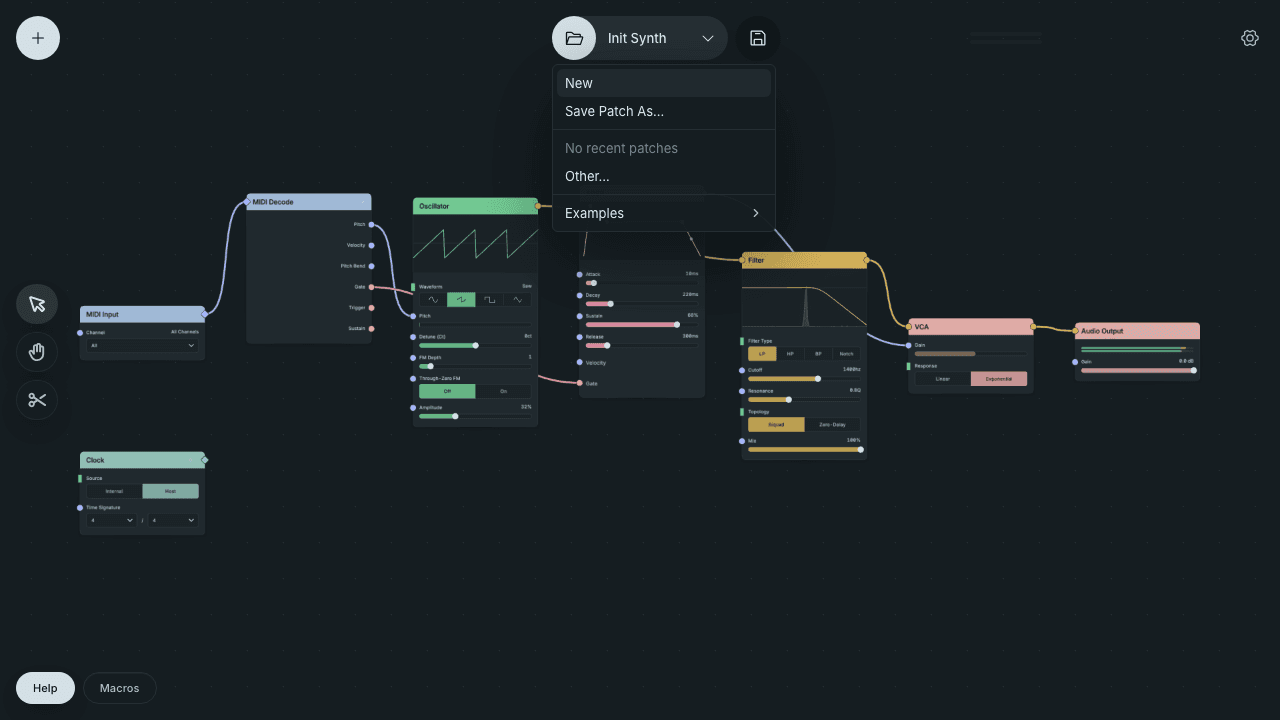
- Open the Patch menu and choose Other…, or click the folder icon.
- In Load Patch, search or filter, then click a patch.
Examples opens Throughline's example patches. They are read-only and load as copies, so saving keeps your changes separately.
New loads the variant's Init patch. Throughline asks before discarding unsaved changes to a Patch Library entry; your DAW project still stores the current state separately until you save it.
Import a patch file
- Open the Patch menu, choose Other… and click Import.
- Choose a
.tlpatchfile.
You can also drag a .tlpatch file onto the canvas. The Build a synth checkpoints are patch files you import this way.
Keep your work before an experiment
Before you start from an empty patch, as in Build a synth:
- Save your DAW project, or save the patch to the Patch Library or a file.
- Choose New in the Patch menu.
To return, load your saved patch, or reopen the DAW project without saving.
Reuse parts with the Local Library
The Local Library holds building blocks you saved yourself:
- Right-click a Group and choose Save to Library.
- To use it, open the node browser and choose the entry from your Local Library.
Each placed entry is a copy of the saved Group. Enter it to edit it. Throughline Synth, FX and MIDI keep separate Local Libraries.
Where these files live on your Mac, and how to reset them, is in Compatibility and known limitations.