 Strangelight Audio
3.8. Stereo and panning
An audio cable in Throughline carries both channels. Left and right do not need separate cables: one Audio Out connects to one Audio In and both channels travel together. You only decide on channels when you place a mono sound, narrow or widen, or treat left and right differently.
3.8.1. How channels behave
- Connect Oscillator Signal to Pan Audio In.
- Connect Pan Stereo Audio to Audio Output.
- Leave Pan CV input socket uncabled and move Pan’s Pan slider from centre towards either side.
Result: the sound moves across the output channels.
- A mono signal becomes stereo, with the same content on both sides, when it meets a stereo input.
- A stereo signal keeps its separate left and right content through nodes that preserve stereo.
- An unconnected input contributes silence.
Mix follows these rules, so you can feed it any mix of mono and stereo sources. Effects such as Chorus and ping-pong Delay create stereo from a mono input by design.
On a mono DAW track, stereo width collapses at the output. See Set up your DAW.
3.8.2. Pan a sound
Put Pan before Audio Output. Pan runs from −1 (left) through 0 (centre) to +1 (right).
- Mono input: Law chooses how the sound is shared between the sides. Equal Power keeps the loudness steady as it moves, which is usual in a mix. Linear is quieter in the centre.
- Stereo input: Pan works as a balance control. Moving left turns down the right channel, and moving right turns down the left. Law does not change this.
Auto-pan
Connect a bipolar LFO to Pan's Pan CV input. A bipolar LFO swings both sides of centre. With the Polarity chooser set to Uni, the LFO pans one way only.
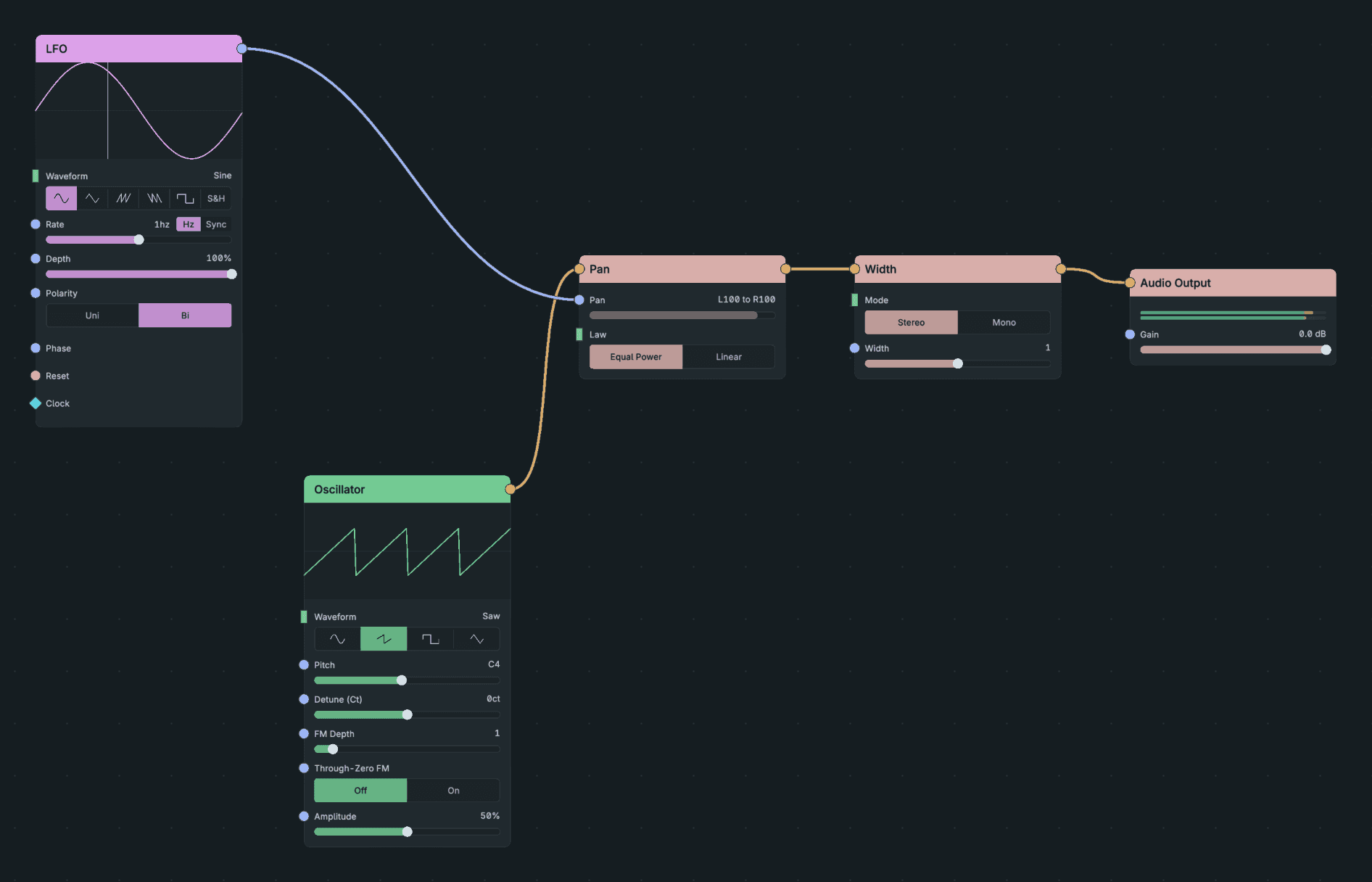
Auto-Pan.
Diagram as text
Source connects to Pan via Audio. LFO, bipolar connects to Pan via Pan CV. Pan connects to Audio Output via Audio.
graph LR
    SRC[Source] -->|Audio| PAN[Pan]
    LFO[LFO, bipolar] -->|Pan CV| PAN
    PAN -->|Audio| OUT[Audio Output]
3.8.3. Change the width
Width changes how different the two channels are. Width 1 leaves them unchanged, 0 folds them to mono, and 2 doubles the difference. Widening can raise peaks, so check the level afterwards.
Width cannot create separation from a mono source. To give a mono voice stereo movement, add Chorus before Width. Chorus adds delayed copies that differ between the channels. Width then changes the separation that already exists.
3.8.4. Process each channel separately
Stereo Split turns one stereo signal into Left and Right mono outputs. Stereo Merge joins mono Left and Right inputs into one stereo signal. Use them when you want the channel decision visible in the patch.
Stereo Merge refuses a stereo signal on either input instead of folding it down silently. Processors such as Gain always output stereo, including from a mono input. Split again before merging:
Diagram as text
Stereo source connects to Stereo Split via Audio. Stereo Split connects to Gain via Left. Stereo Split connects to Stereo Merge via Right. Gain connects to Second Stereo Split via Audio Out. Second Stereo Split connects to Stereo Merge via Left. Stereo Merge connects to Audio Output via Audio.
graph LR
    SRC[Stereo source] -->|Audio| SPLIT[Stereo Split]
    SPLIT -->|Left| GAIN[Gain]
    SPLIT -->|Right| MERGE[Stereo Merge]
    GAIN -->|Audio Out| RESPLIT[Second Stereo Split]
    RESPLIT -->|Left| MERGE
    MERGE -->|Audio| OUT[Audio Output]
This patch changes only the left channel's level. Leave the second split's Right output unconnected.