 Strangelight Audio
2.8. Clock and tempo
Clock signals describe musical time. Sync to tempo teaches sync modes and independent timing routes.
2.8.1. Global Clock and transport
The Global Clock is the shared musical timing source configured in the editor header. It carries tempo, meter, playback state and position. Host timing follows the DAW; Internal timing uses the patch’s saved settings. The picture shows a synced delay using musical time instead of a fixed millisecond interval.
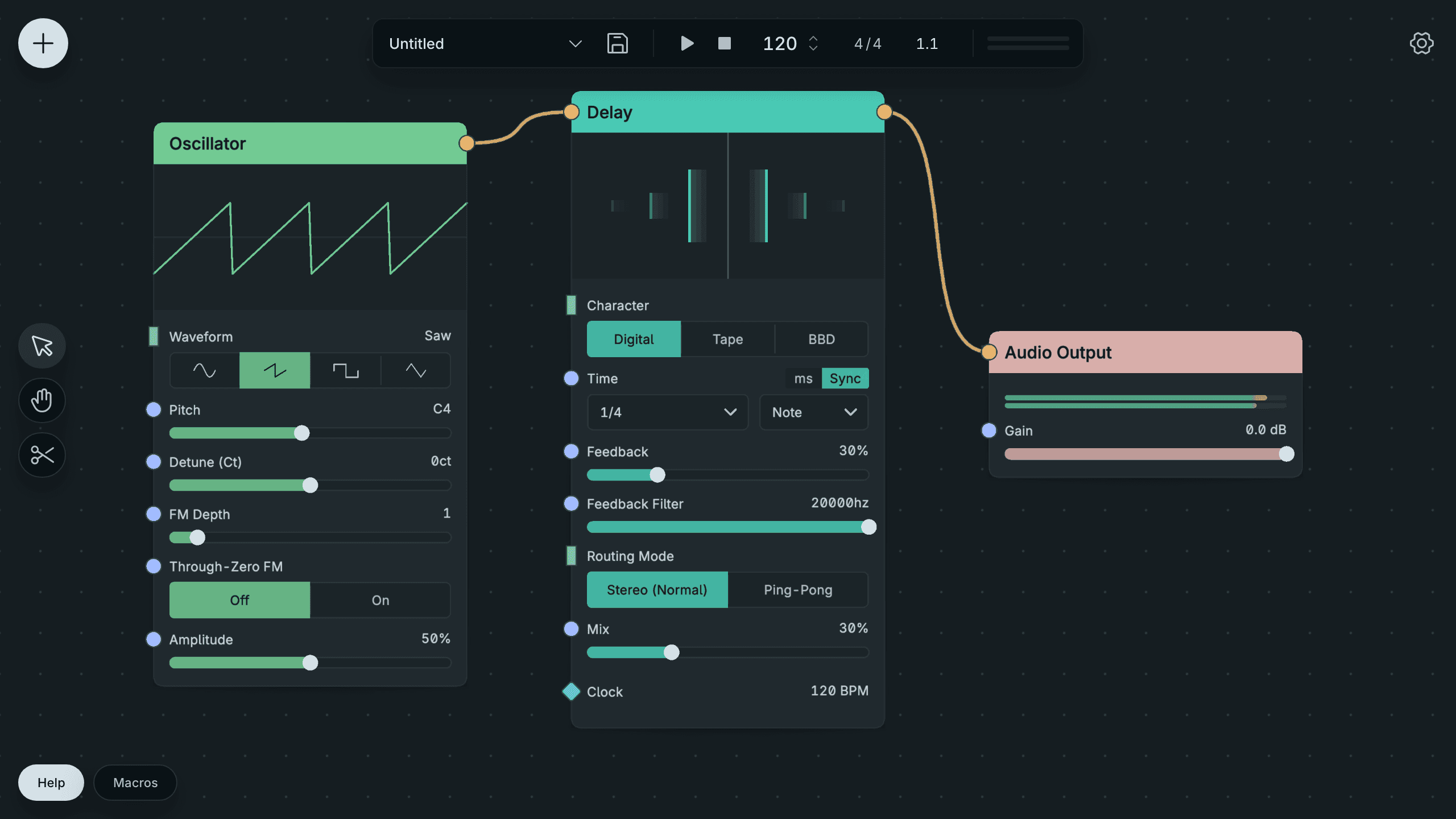
The Global Clock Supplies A Synced Delay.
Tempo is the pace in beats per minute. Meter describes the beats in a bar. Transport describes whether playback is running and its position in the musical timeline. These related facts let sequencers and effects share one timing source.
Clock-aware nodes follow the Global Clock through an uncabled Clock input. In Sync mode, a timing row chooses a musical division, with normal, dotted or triplet timing. The node’s reference explains its response to playback changes. Synced effects can continue at the current tempo while stopped; sequencers and arpeggiators start no new notes.
See Sync to tempo.
2.8.2. Clock nodes and local timing
A Clock node is an explicit structured timing source on the canvas. Its Global setting relays the Global Clock; its Local setting uses its own tempo, meter and transport. A cable from that node lets a destination use that timing source. Here, a Local Clock at 90 BPM supplies a synced Delay. Its stopped transport still provides a tempo for the delay duration.
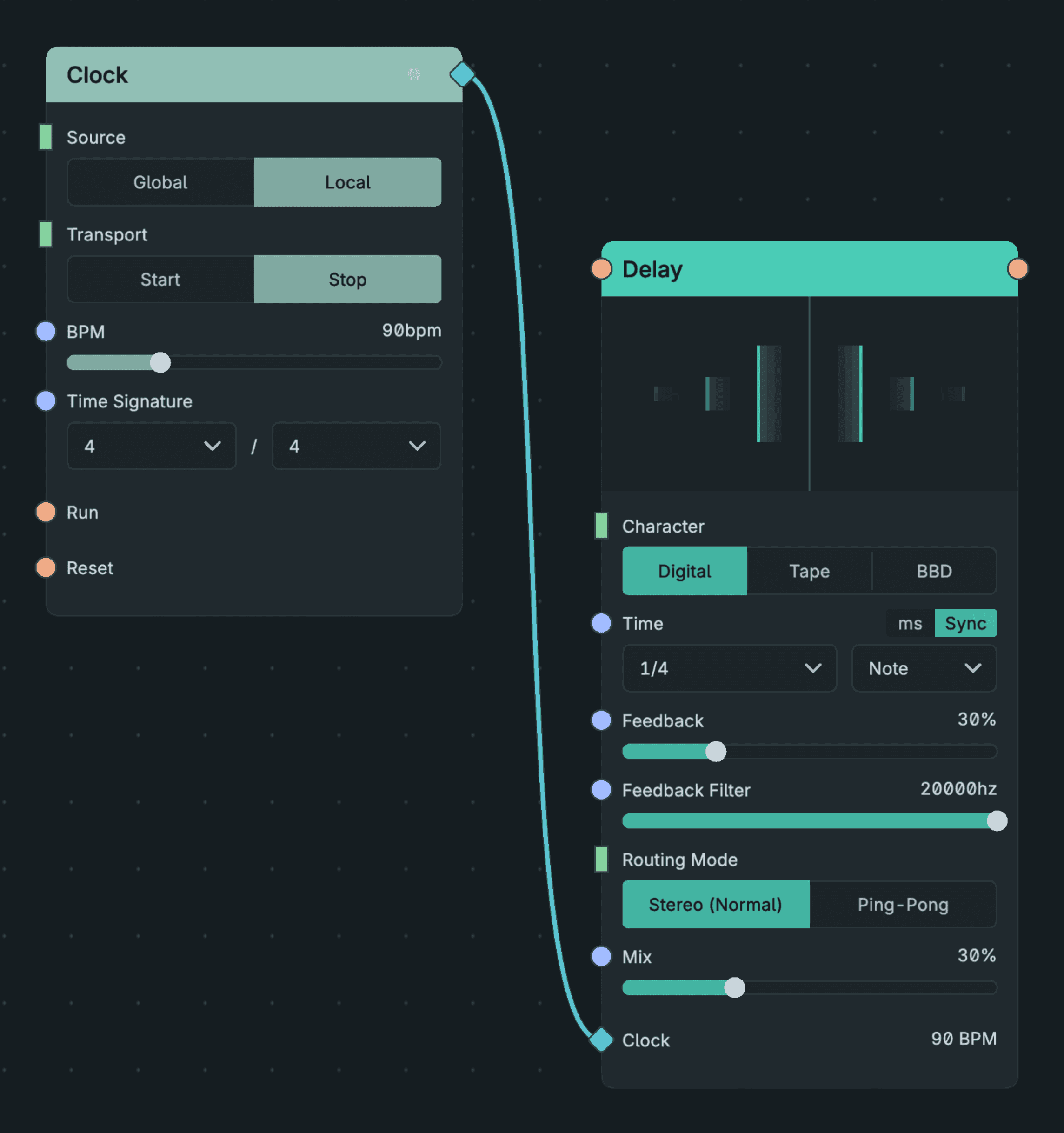
A Local Clock Supplies Another Node.
A Clock cable overrides the destination’s automatic Global timing. Use local timing for a part that runs independently of the header. Clock Divider can supply a different musical interval, and Clock Decode exposes timing fields as separate outputs.
A connected clock must supply usable timing: an unavailable Clock cable does not silently fall back to Global timing. Removing it restores the automatic source. A stopped Clock with a valid tempo can still give durations to a synced effect; note-generating nodes also depend on its playback state.
See Sync to tempo.