 Strangelight Audio
1.4.5. Add and sync a delay
A Delay repeats the sound. Put it after the Zone, so all voices share one delay instead of getting one each.
Starting checkpoint: build-a-synth-arpeggiator.tlpatch. If you skipped the arpeggiator, start from the Lesson 3 checkpoint.
- Click the cable from Polyphony Output to Audio Output to select it. Press Option+Shift+Delete (macOS) or Alt+Shift+Delete.
- Drag Audio Output to the right to make room.
- Add a Delay between them.
- Connect Polyphony Output Output to Delay Audio In, and Delay Stereo Output to Audio Output Audio In.
- Set Delay Time to 300 ms.
Delete the old cable before you connect the Delay, so the synth reaches Audio Output only through the Delay.
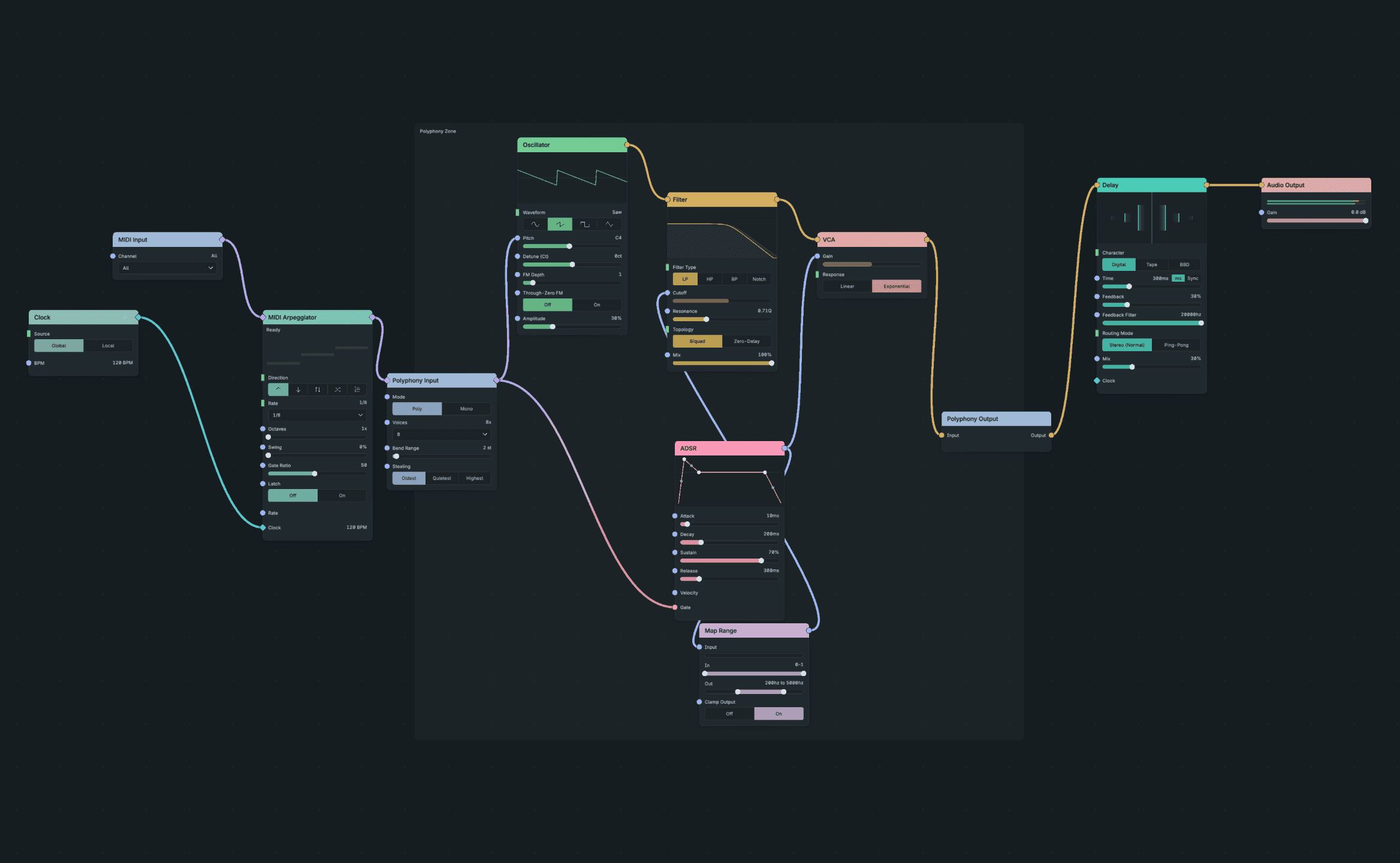
A Delay After the Zone.
Result: each note repeats every 300 ms and fades away. At 120 BPM the eighth notes are 250 ms apart, so the echoes drift against the beat.
Checkpoint: build-a-synth-delay.tlpatch
Now make the echoes follow the tempo:
- On the Delay, choose Sync beside Time.
- Choose 1/4 and N. The uncabled bottom Clock input follows the Global Clock.
- Choose Host in the header to follow your DAW's tempo, or Internal to use the patch's BPM.
Result: echoes land on quarter notes: 0.5 s apart at 120 BPM and 0.667 s apart at 90 BPM. Change the tempo and the echoes follow it, with playback running or stopped.
The downloadable checkpoint uses Host timing in the header and sets Delay Sync to 1/4 N, with no cable into Delay Time or Clock. The Global Clock node still drives the arpeggiator.
If the echoes ignore tempo changes: check the Delay uses Sync or has a Clock cable to Time. A numeric Time cable forces milliseconds. A connected Local Clock uses its own BPM.
Checkpoint: build-a-synth-synced-delay.tlpatch