 Strangelight Audio
1.4.4. Add an arpeggiator
A MIDI Arpeggiator plays the notes you hold one after another, in time with a clock.
Starting checkpoint: build-a-synth-polyphonic.tlpatch
- Zoom in on the cable from MIDI Input to Polyphony Input until its + appears. Click it, type
arpeggiatorand choose MIDI Arpeggiator. - Click the Add Node button, search for
Clockand add a Clock. - Connect its Clock output to the arpeggiator's Clock input.
- On the Clock, set the Source chooser to Global and choose Host in the header.
- Start your DAW's transport, then hold a chord.
The arpeggiator sits before the Zone, so it sends one note at a time into the voices. The Clock cable drives its Clock input.
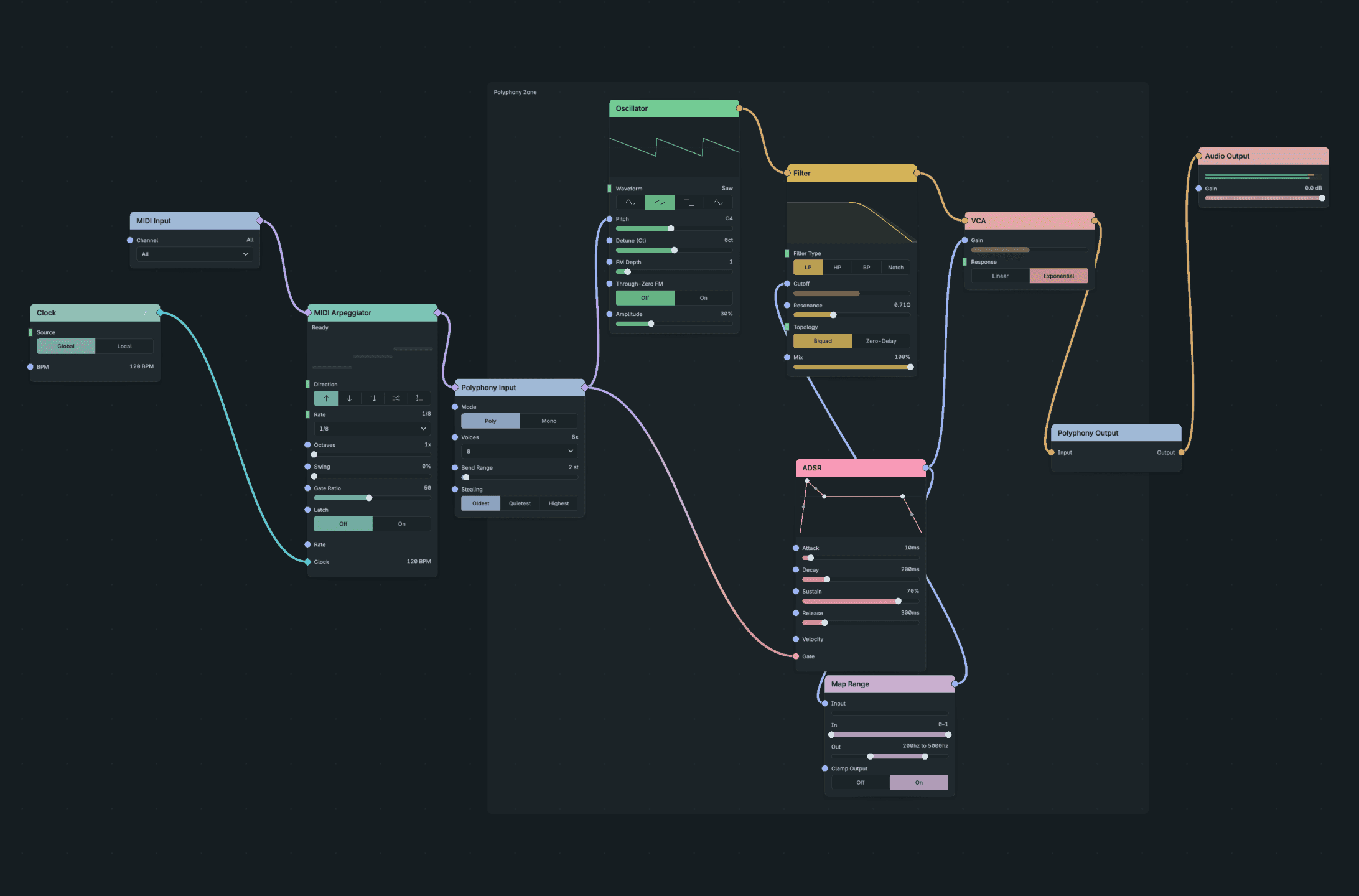
An Arpeggiator on the Global Clock.
Result: the held notes play one at a time from lowest to highest, as eighth notes at your DAW's tempo. At 120 BPM they are 0.25 s apart. When you stop the transport, no new notes start.
If nothing plays: check that the DAW transport is running. With Global timing set to Host in the header, the Clock follows the transport and stays silent while the transport is stopped. To play without the transport, choose Internal in the header and start playback, or set the Clock to Local and choose its BPM. See Sync to tempo.
Checkpoint: build-a-synth-arpeggiator.tlpatch