 Strangelight Audio
3.1.4. Refused and warned connections
A cable carries a signal between compatible sockets. Check the signal kind, unit and range before choosing its destination.
3.1.4.1. Refused connections
A refused drag cannot create a cable to the target socket. Dragging an LFO control signal onto Filter Audio In gives Incompatible socket feedback: the destination needs audio, while the source produces a control signal.
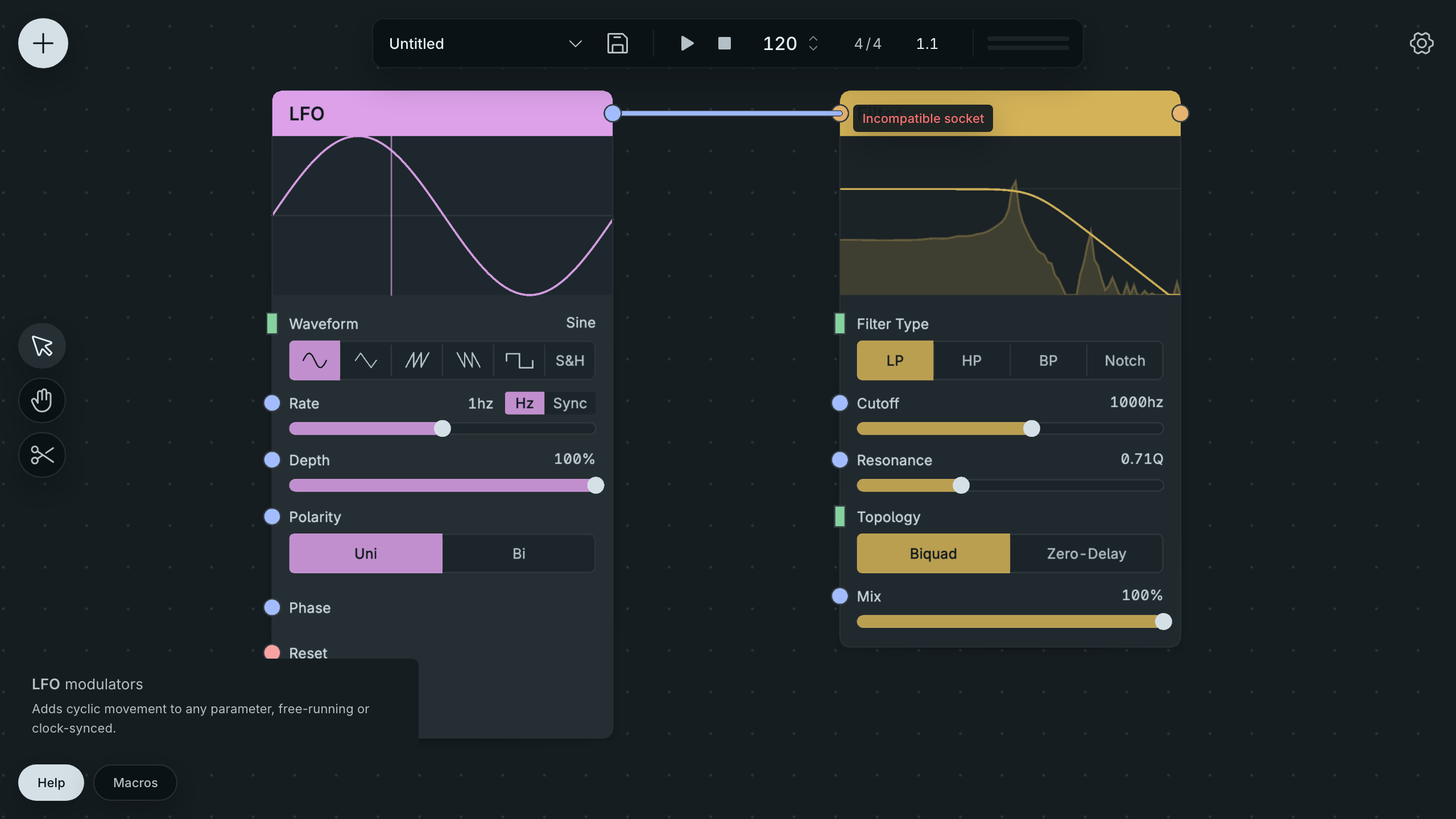
An LFO Cannot Feed An Audio Input.
- Hold the drag over the target socket and read the feedback.
- Compare the source and target signal kinds in Help.
- Follow the matching case below before trying the cable again.
Result: the cause of the refusal or warning is visible before you change the routing.
Throughline gives a reason when it refuses a drag. Common reasons:
- Incompatible socket: the two kinds cannot connect, for example an audio output into a MIDI input.
- Choose an input socket as the target: both ends are outputs. Drag from an output to an input.
- Both sockets belong to the same node.
- Map Range is locked to …, but this target expects …: a Map Range that already drives one kind of target cannot drive a different one.
- Polyphony Zones don't take audio input: a Zone accepts notes, not audio. See Polyphony.
- … is controlled by a Macro: remove the Macro binding first.
For more fixes, see Cannot connect these sockets.
3.1.4.2. Warned connections
A drag that is allowed can still show a warning. It means the source can reach the destination, but you need to check its numerical range. A bipolar LFO sent directly to Oscillator Pitch keeps its raw values instead of becoming a musical pitch sweep.
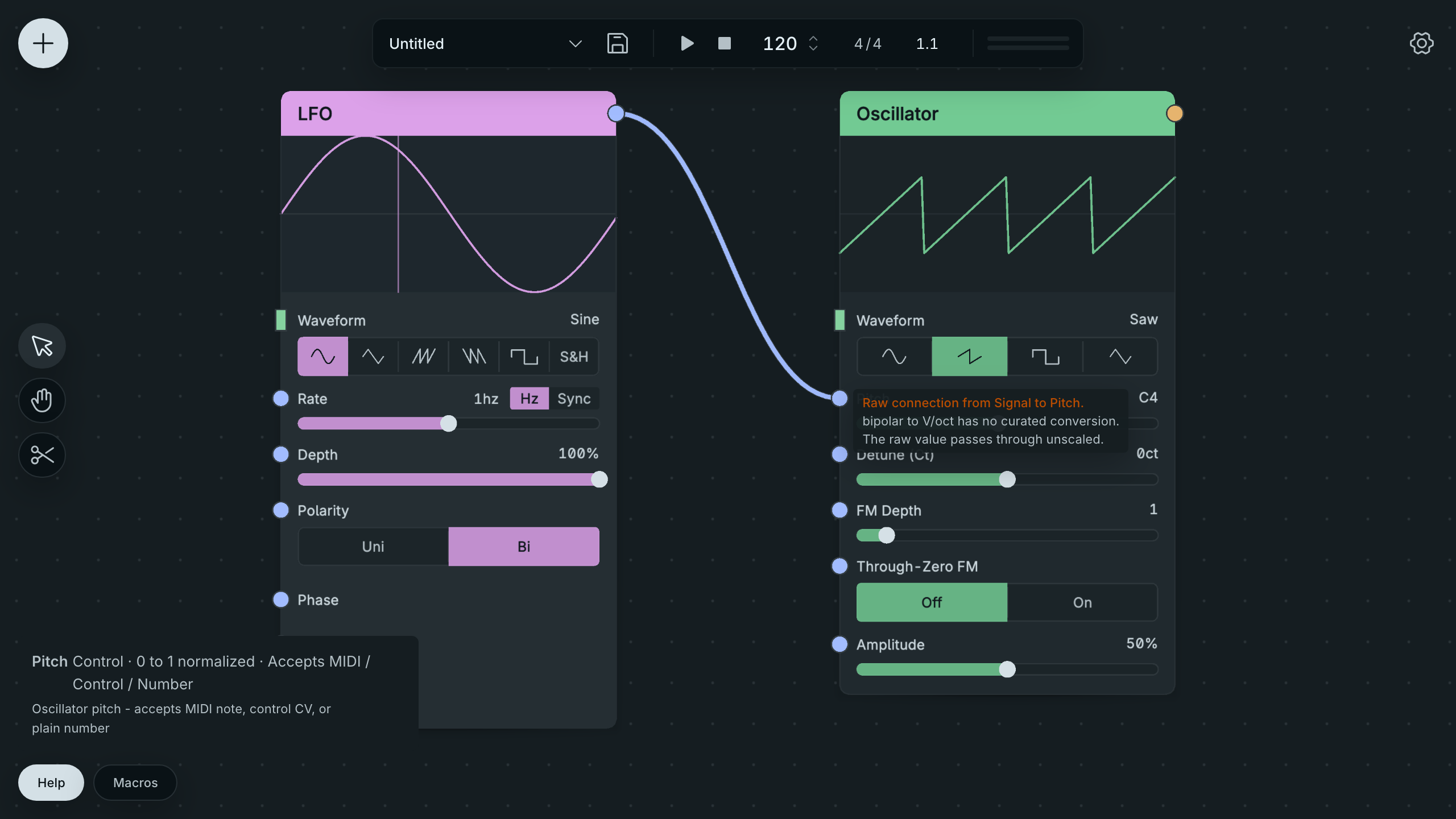
A Warned Raw Pitch Drag.
Compare the source range with the destination’s unit in Help before accepting the drag. For a deliberate frequency sweep, use Map Range to choose the destination range explicitly. See Control signals and logic.