 Strangelight Audio
4.3.3. Zones
Choose a structure according to its job: visual organisation, a reusable subgraph, or voice behaviour.
4.3.3.1. Zones
- Select a working voice, leaving MIDI Input and Audio Output outside.
- Choose Create Polyphony Zone in the context menu.
- Check that notes enter Polyphony Input and audio leaves Polyphony Output.
Result: the selected voice now runs separately for held notes.
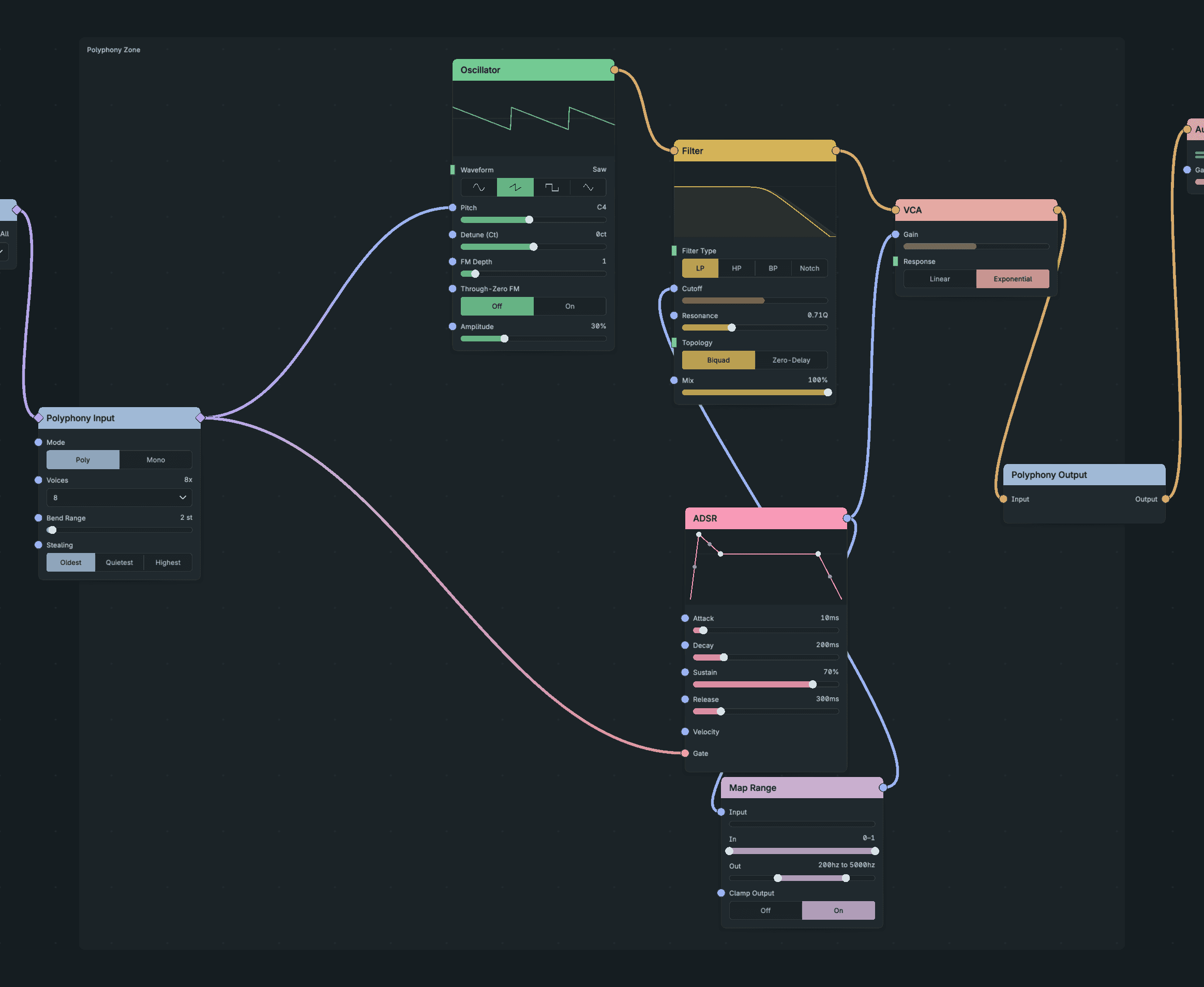
Zones.
A Zone is a region that changes how its nodes run. Its nodes stay on the canvas you are working on: you never enter a Zone, and it never appears in the breadcrumbs.
Zones differ from Frames and Groups in one important way: cables, not position, decide membership. A node belongs to a Zone because of how it connects between the Zone's input and output nodes. Dragging a node over the frame does not add it, and dragging a member outside stretches the frame instead of removing it. Connecting a new node into a member adopts it into the Zone.
A Zone has an input node on its left side and an output node on its right side. Signals cross into and out of the Zone only through them.
The Polyphony Zone is the only Zone type. Polyphony covers creating one, membership, voice controls and its limits.
4.3.3.2. Remove a Zone
Right-click the Zone frame and choose Dissolve Zone to keep its nodes and reconnect them without the Zone. Choose Delete zone and contents to remove everything. One undo restores a dissolved Zone.