 Strangelight Audio
2.4. Patches and the Init patch
A patch is the complete sound or MIDI process in one Throughline instance. Save, load and reuse explains where to keep it.
2.4.1. Patches
A patch is the complete set of nodes, cables and saved settings that one plugin instance uses. Its layout also belongs to the patch, along with structures such as Frames, Groups and Zones. The canvas shows how those parts work together. In the picture, the voice is one part of the same patch as the shared delay and final output.
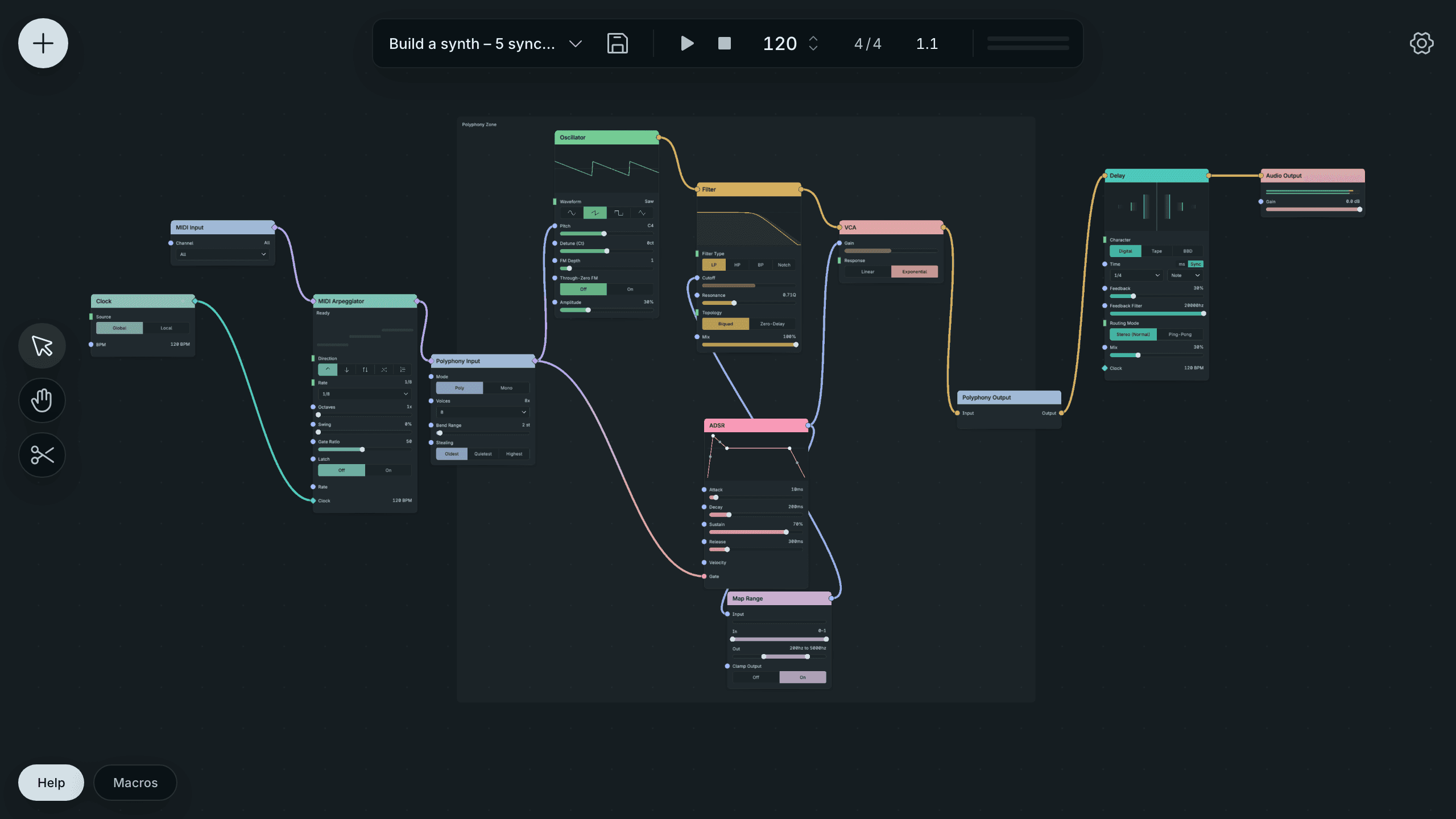
A Patch Combining A Voice And Shared Effects.
Changing a control or rerouting a cable changes the current patch. Moving nodes changes its saved layout. A Macro belongs to the patch although its dial appears outside the canvas.
A .tlpatch file stores one patch for import, backup or transfer. A tutorial checkpoint is one of these files, prepared at a lesson boundary. It lets you start from a known patch state or compare your result with the lesson’s finished patch.
See Save, load and reuse.
2.4.2. The Init patch and variants
The Init patch is the starting patch for a plugin variant. It opens in a fresh instance and returns when you choose New from the patch-name menu. Throughline has three variants: Throughline for instruments, Throughline FX for audio effects and Throughline MIDI for MIDI processing. Their starting patches suit those different track roles.
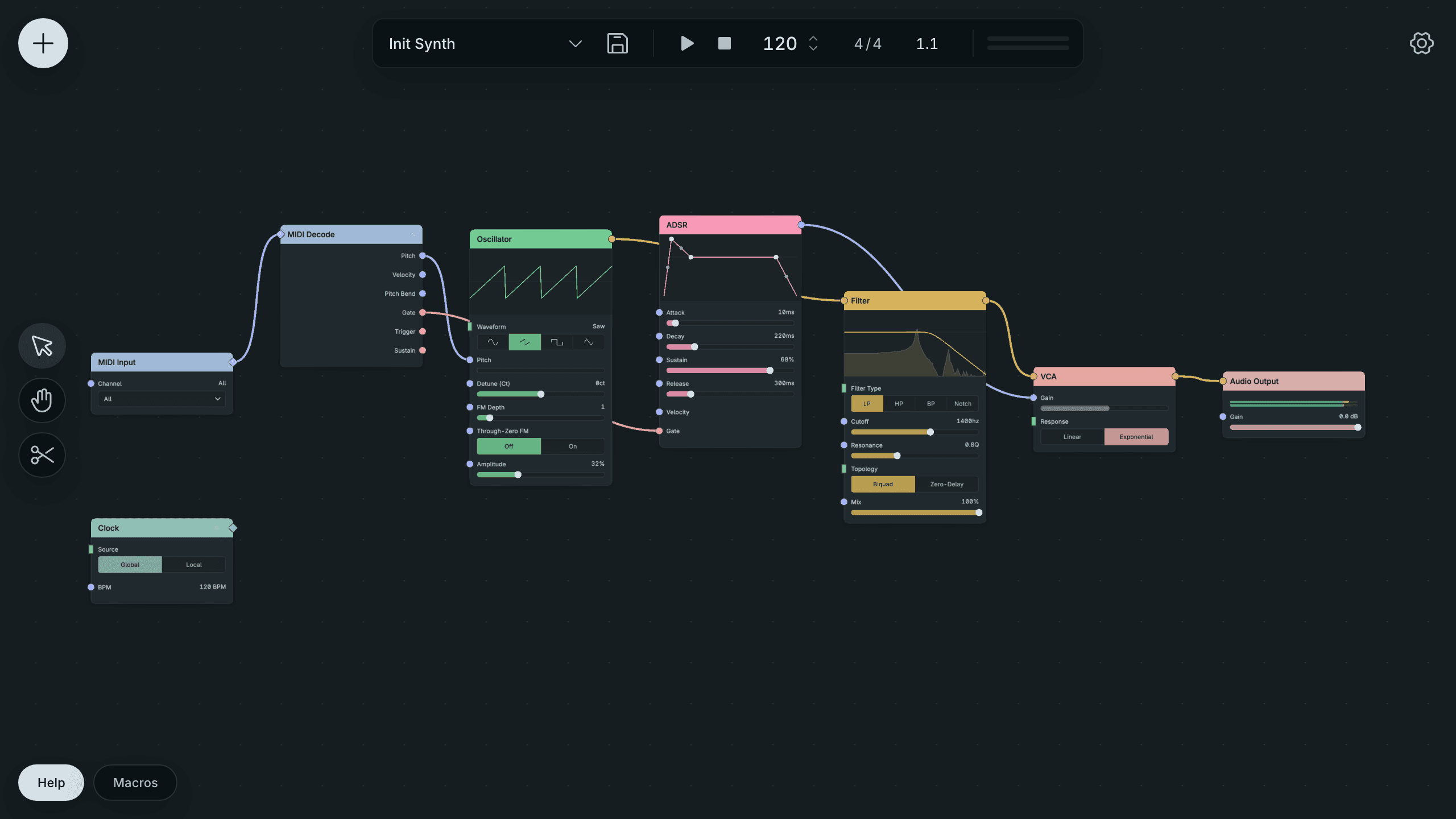
The Instrument Variant’s Playable Init Patch.
The instrument Init patch gives you a playable voice so you can hear a result before building a new route. MIDI reaches the voice, its oscillator makes a tone, and the envelope shapes the output level. You can change its controls or replace its nodes as in any other patch.
Before starting again: save the current work with your DAW project or as a separate patch. Loading the Init patch changes the current instance. It does not add a canvas alongside your work.
2.4.3. Libraries, recall and autosave
A library is a collection of reusable saved work. The Patch Library holds named complete patches on your computer. The Local Library holds your own reusable Groups and nodes. Loading a saved entry creates a working copy; editing that copy does not rewrite another project that already uses it. The patch-name menu is one entry point to the Patch Library.
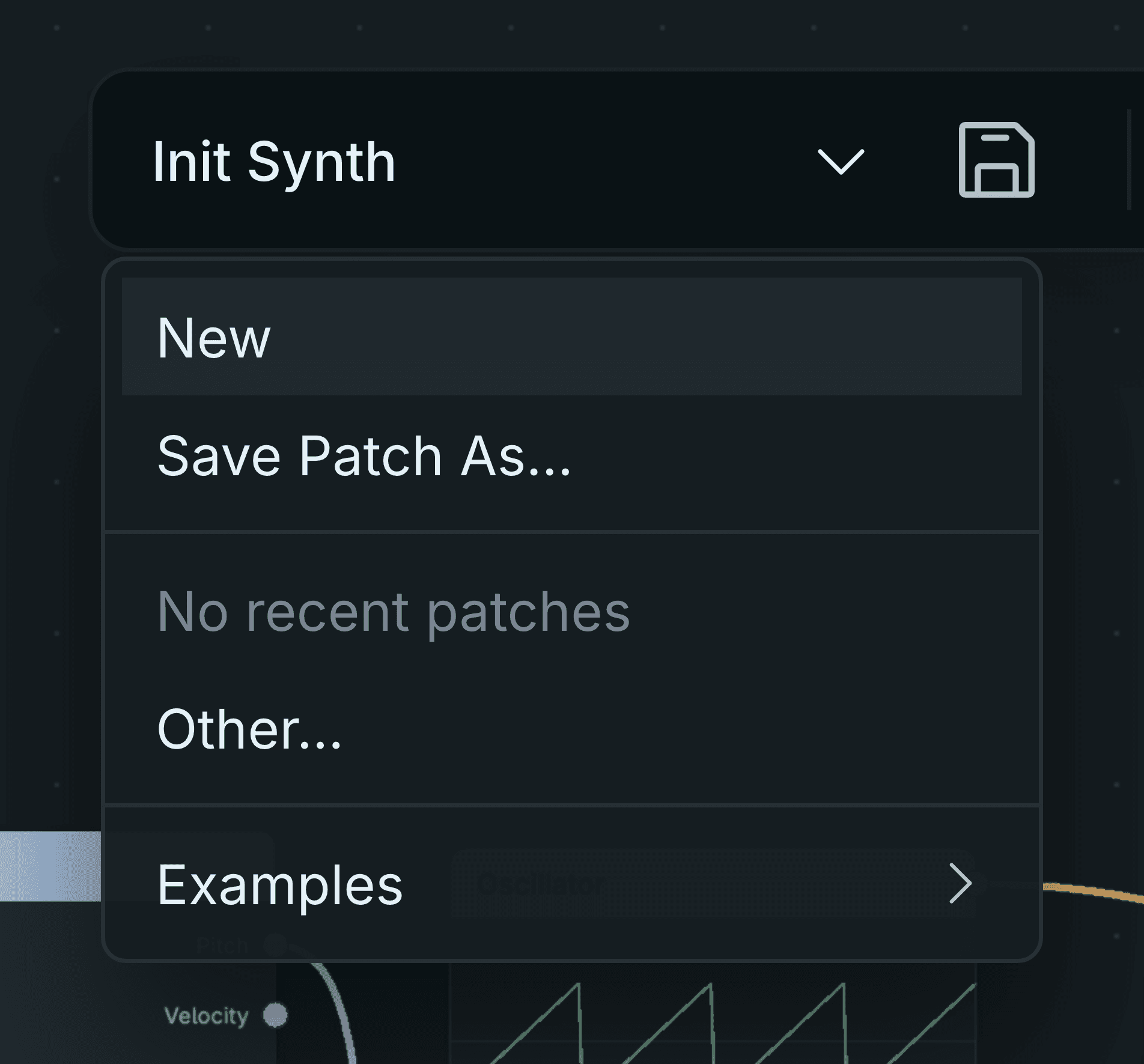
The Patch Menu For Saving And Loading Work.
Your DAW project stores the patch in each plugin instance when you save the project. Reopening the project restores that instance’s saved sound. A separate library entry or patch file serves a different purpose: reuse and backup across projects.
Autosave is the browser editor’s local recovery copy. The embedded plugin uses DAW state recall instead of that browser startup copy. Neither replaces a deliberate project save or a patch-file backup before an experiment.
See Save, load and reuse.