 Strangelight Audio
1.4.2. Lesson 2: Shape its tone
Make each note start bright and settle darker, as a plucked string does. A Filter removes high frequencies, and the same envelope that sets the level moves the filter's Cutoff.
Starting checkpoint: build-a-synth-playable-voice.tlpatch
- Zoom in until a + appears in the middle of the cable from Oscillator to VCA. It shows at 65% zoom and above.
- Click the + insertion button, type
filterand choose Filter. The Filter now sits on that cable. Oscillator Signal goes to Filter Audio In, and Filter Audio Out to VCA Signal. - Drag from ADSR Envelope to an empty part of the canvas and release. In the menu that opens, choose Map Range. The editor connects the envelope to Map Range Input. The envelope still drives the VCA, because one output can feed more than one input.
- Connect Map Range Result to Filter Cutoff.
- On Map Range, drag the two Out sliders until the range reads 200 Hz to 5000 Hz. Leave In at 0–1.
The envelope moves between 0 and 1, but Cutoff is in hertz. Map Range turns the envelope into 200 Hz when the note is silent and 5000 Hz at its peak. The Out range sets the lowest and highest Cutoff. See Modulate a parameter.
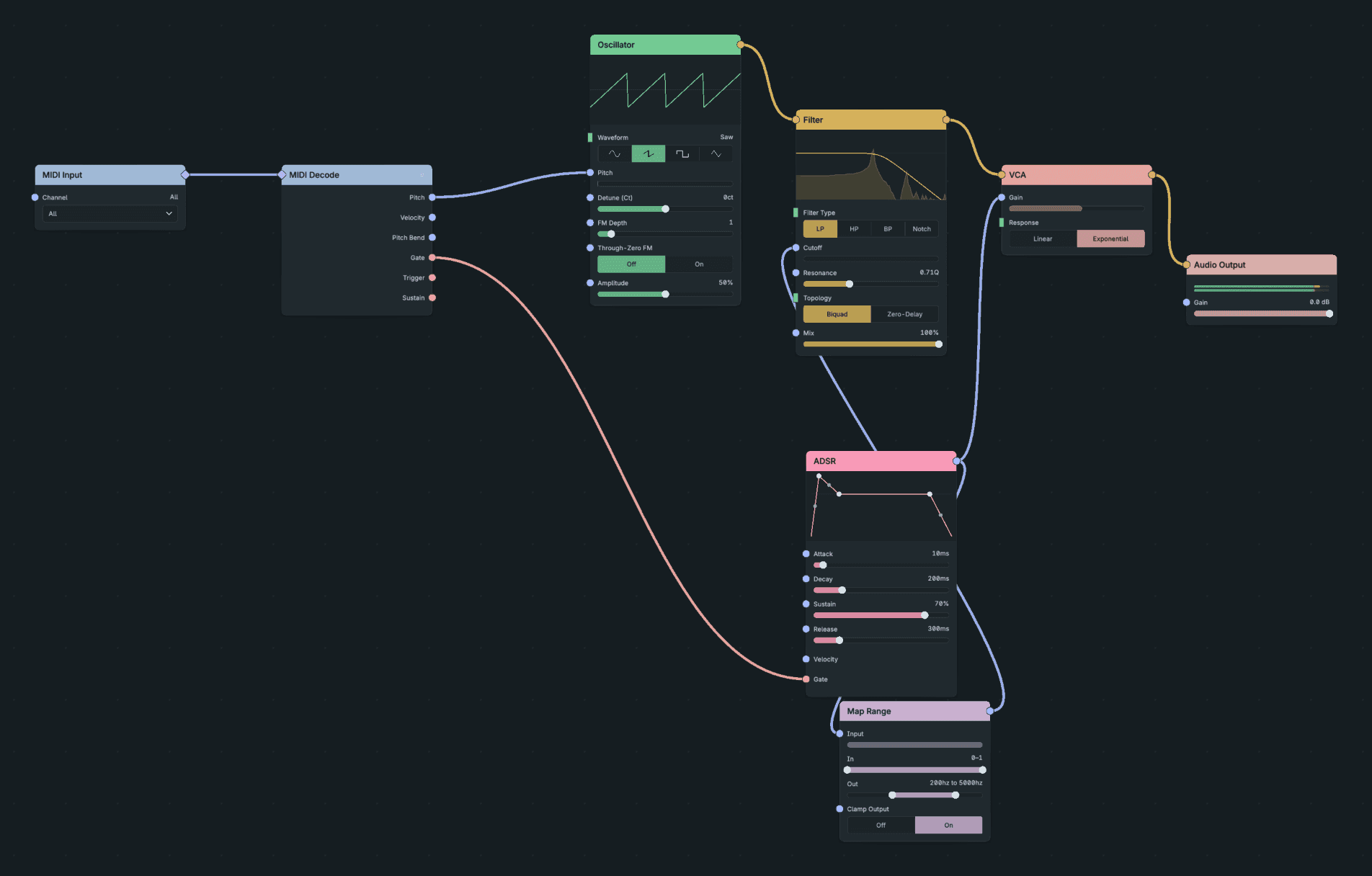
The Shaped Voice.
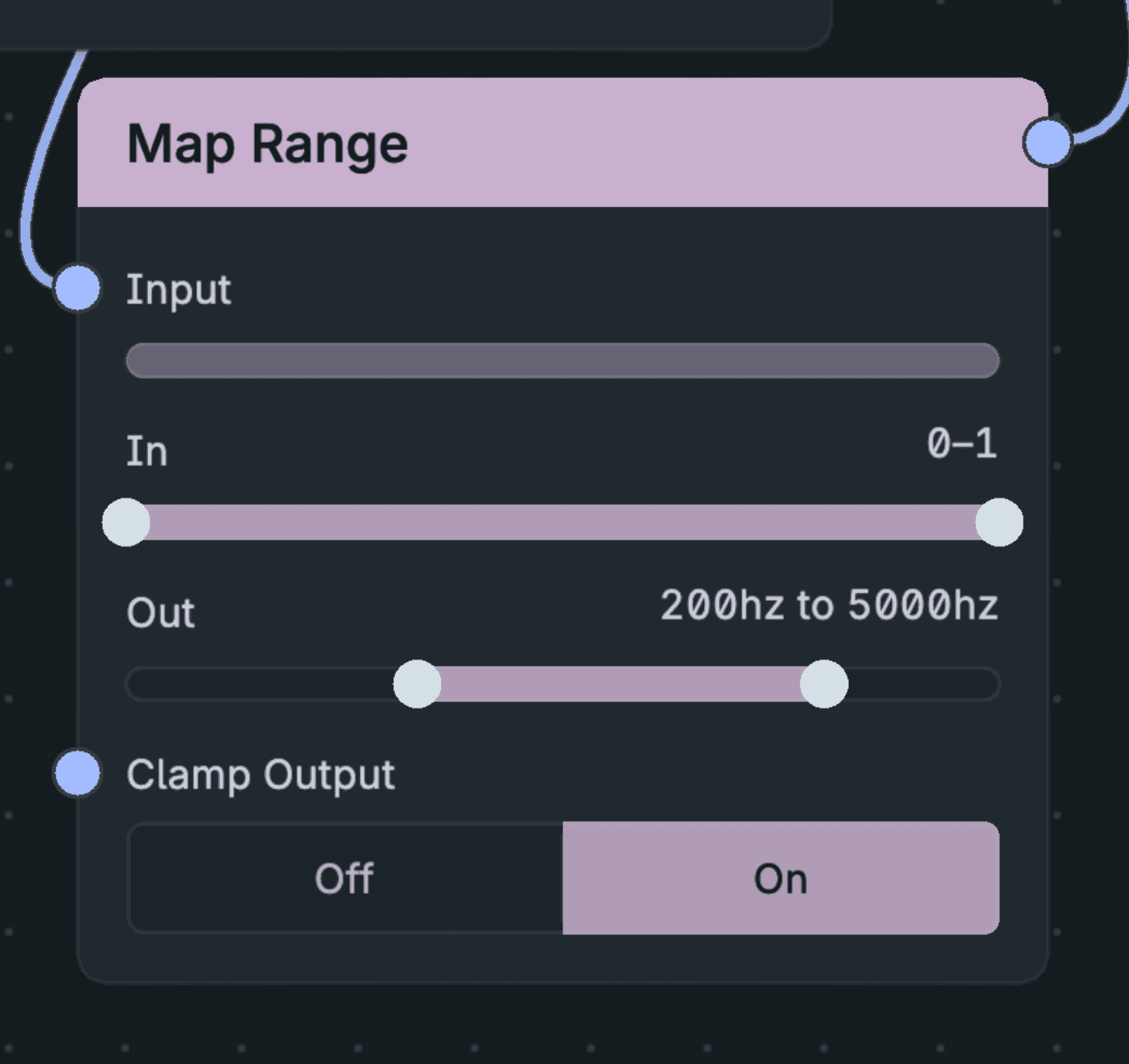
Map Range Up Close.
Result: each note opens bright and falls to a darker tone as the envelope settles at Sustain. Cutoff holds at 3560 Hz while you hold a key, and closes to 200 Hz as the note releases.
If the tone does not change: check that Map Range Result goes to Cutoff, not to Resonance or Mix. While a cable drives Cutoff, the Cutoff slider no longer moves when you drag it: the cable sets the value.
Checkpoint: build-a-synth-shaped-voice.tlpatch