 Strangelight Audio
1.4.1. Lesson 1: A playable voice
A voice turns each MIDI note into a tone with a start and an end. You need five nodes: the note's pitch sets the oscillator, and its gate drives an envelope that opens and closes a VCA.
Starting checkpoint: build-a-synth-start.tlpatch
- Click the Add node button (the + at the top left), type
MIDI Inputand choose MIDI Input. Click the canvas to place it on the left. - Add MIDI Decode, Oscillator, ADSR and VCA the same way, from left to right. Leave room above or below each node for cables.
- Make these six connections:
| From | To |
|---|---|
| MIDI Input · MIDI Out | MIDI Decode · MIDI In |
| MIDI Decode · Pitch | Oscillator · Pitch |
| MIDI Decode · Gate | ADSR · Gate |
| Oscillator · Signal | VCA · Signal |
| ADSR · Envelope | VCA · Gain |
| VCA · Signal | Audio Output · Audio In |
Keep the default settings: a Saw waveform and ADSR Attack 10 ms, Decay 200 ms, Sustain 70% and Release 300 ms.
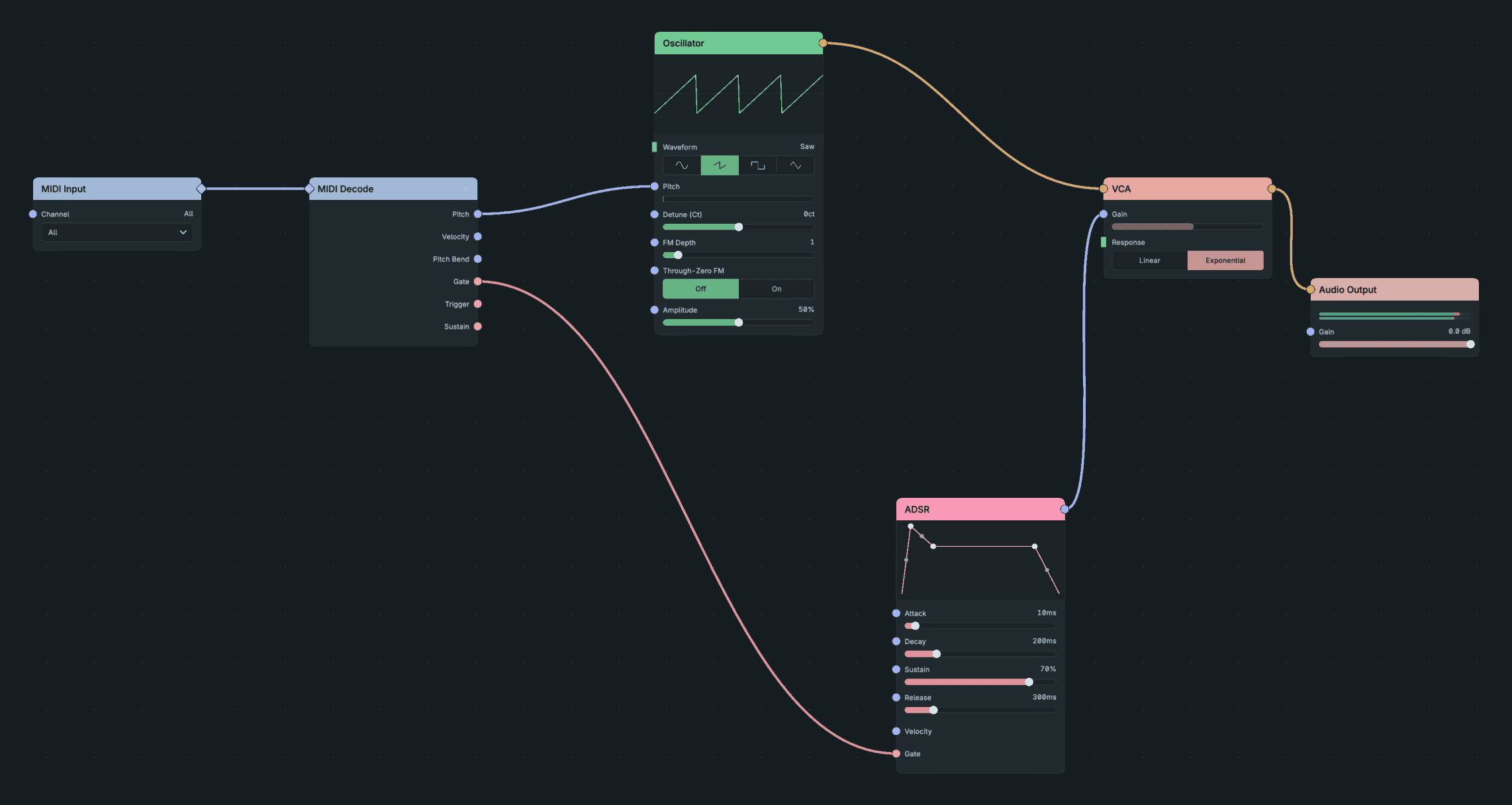
A Playable Voice.
Result: each key plays its own pitch. The note starts as soon as you press the key and fades to silence over 0.3 s after you release it.
If a note never stops: either the Oscillator reaches Audio Output without passing through the VCA, or ADSR Envelope is not connected to VCA Gain. Check the last three rows of the table.
Checkpoint: build-a-synth-playable-voice.tlpatch