 Strangelight Audio
3.5.4. Voice controls, sustain and pitch bend
A Polyphony Zone runs one voice for each note. The cables decide which nodes run per voice and which process the mixed output.
3.5.4.1. Voice controls
Polyphony Input allocates incoming notes to the Zone’s voices. Its Mode, Voices and Stealing controls decide the number of notes that can sound and which existing voice gives way when the next note arrives. These controls apply to the whole Zone, not to one oscillator.
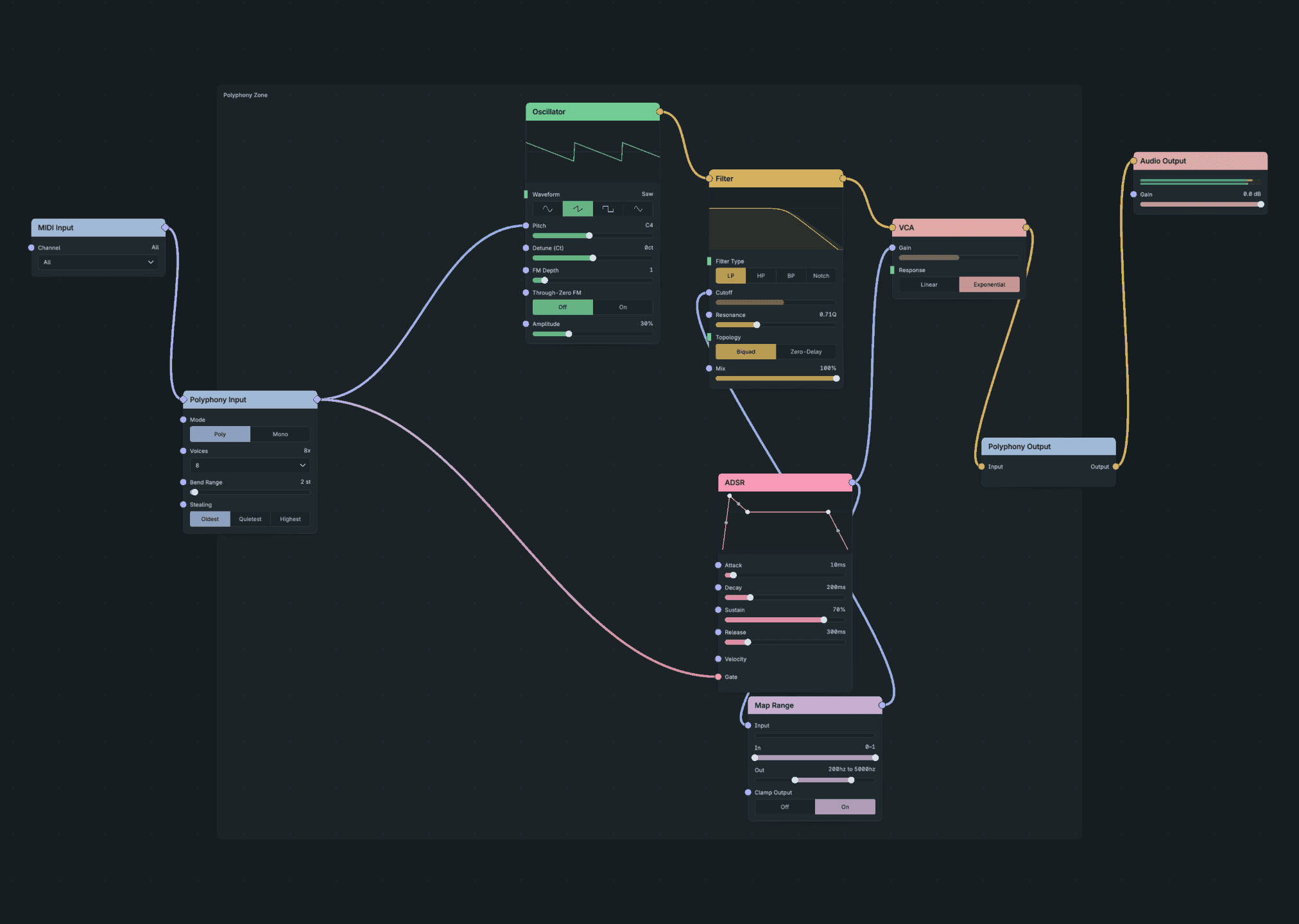
Voice Controls.
- Set the Polyphony Input Voices chooser to the count your part needs.
- Choose a stealing mode.
- Play more notes than the voice count and listen to which note is replaced.
Result: the chosen allocation rule decides which voice a new note takes.
Polyphony Input holds the controls for the whole Zone:
- Mode: Poly assigns each note its own voice. Mono plays one voice at a time.
- Voices: 1 to 16, default 8. Older patches with more than 16 load with 16.
- Stealing chooses which voice a new note takes when all voices are busy:
- Oldest takes the longest-held voice. This is the default, and patches with an unknown value use it.
- Quietest takes the voice with the lowest note-on velocity, then the oldest when velocities match.
- Highest takes the highest-numbered active voice.
- Legato and Glide shape the move from one note to the next when the mode uses them.
- Bend Range sets the pitch-bend range in semitones either side of centre. The default is 2, a whole tone.
3.5.4.2. Sustain pedal and pitch bend
Polyphony Input reads the sustain pedal (CC64) and pitch bend itself. Both apply only to voices on the MIDI channel the message arrived on, including when the Zone takes notes from more than one channel.
- Sustain is down when CC64 is 64 or more. A key released with the pedal down keeps sounding. Pedal-up releases the voices whose keys are no longer held, in the order you released them. A key you press again under the pedal starts a new note that pedal-up does not release.
- Pitch Bend uses the full 14-bit message, with centre at 8192. It moves voices already sounding on that channel and voices that start later, and stays until the channel sends a new bend. Bend Range is the only depth control.
- Both take effect at the exact sample the message arrives, not at the next audio block.
- Reset All Controllers (CC121) lifts that channel's pedal and centres its bend. Voices held only by the pedal release; keys still held keep sounding.
- All Notes Off (CC123) and All Sound Off (CC120) end every voice on that channel, including pedal-held voices. They leave the pedal and bend unchanged.
The raw CC64, CC121 and pitch-bend messages also reach the voice. To build your own response, decode them with MIDI Decode inside the voice.
MPE is not supported yet. No channel works as an MPE Manager or Member channel, so an MPE controller's per-note bend arrives as ordinary channel bend.