 Strangelight Audio
2.7. Macros and automation
Macros expose the controls you want to play or automate. Macros and DAW automation teaches assignment and host automation.
2.7.1. Macros and bindings
A Macro is a labelled dial in the Macros panel that drives one or more node parameters. A binding associates the dial with its target; it does not add a cable to the canvas. The parameter’s own control reflects the driven value. The picture shows a Macro assigned to Filter Cutoff, with its dial in the open panel.
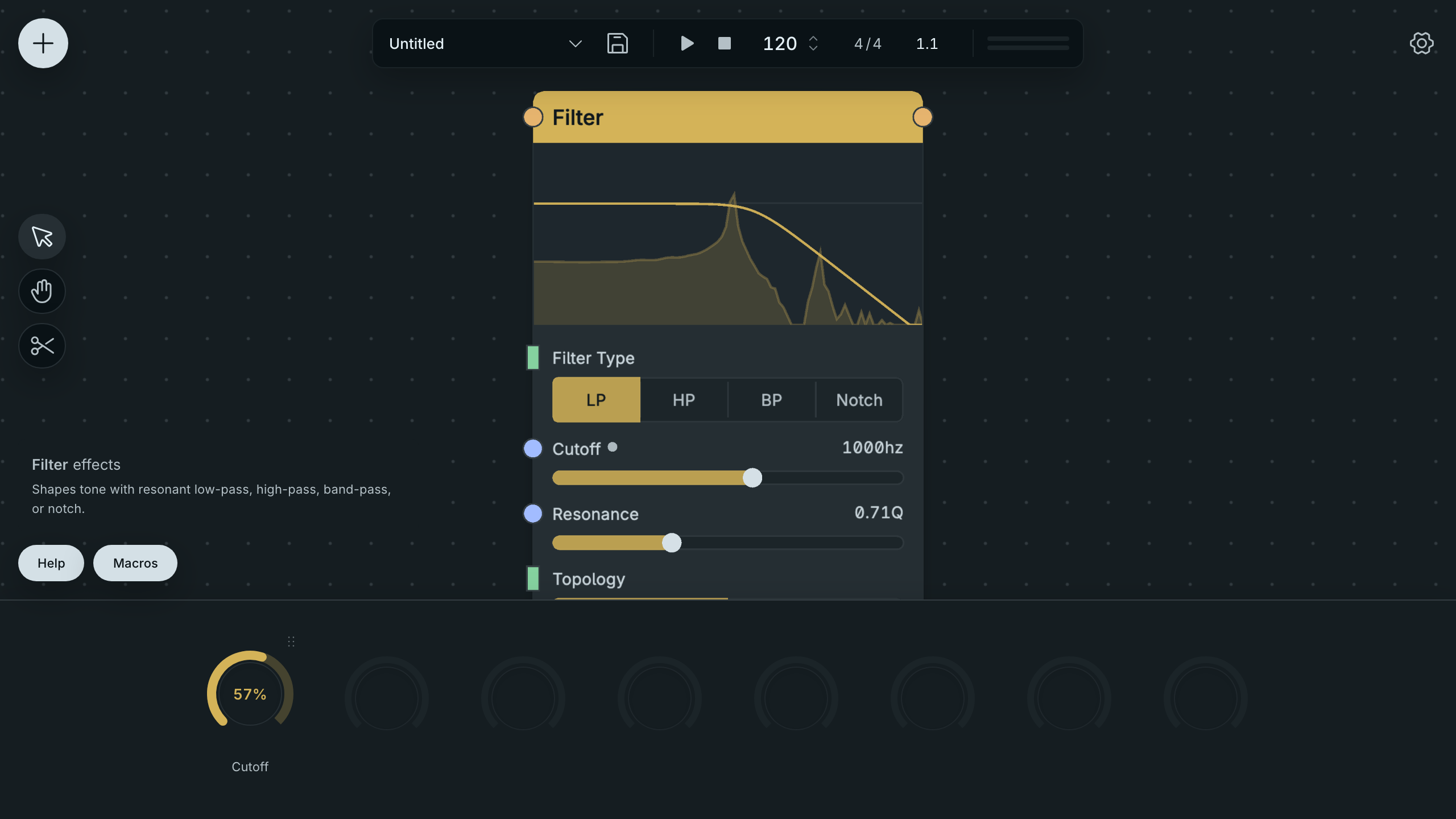
A Filter Parameter Exposed On A Macro Dial.
A Macro can collect controls you want to reach while listening, such as brightness or effect amount. Its name describes the performance control, while the node’s parameter keeps its own technical label.
A parameter has one driver at a time: manual value, cable or Macro. You must remove an incoming cable before assigning that parameter. A bound parameter refuses a new cable until its binding is removed. Inside a Polyphony Zone, a Macro changes its bound parameter across the voices, so the chord responds together.
See Macros and DAW automation.
2.7.2. DAW automation slots
A Macro slot is the stable parameter identity your DAW uses for automation. The plugin exposes eight slots, named Macro 1 through Macro 8 in the DAW. A Macro keeps its slot when you rename it or move it in the panel. The picture shows the assigned Filter control and its Macro dial, ready for slot-based automation.
Drawing automation or recording a controller movement on a slot moves the assigned Macro. The DAW retains the generic slot name; the editor shows your chosen Macro name. Saving and reopening the patch keeps its Macro assignments.
Slot reuse changes the target: deleting a Macro frees its slot. A later Macro can take that slot, and existing automation then drives the new assignment. Keep each slot’s purpose consistent after writing automation, or update the DAW lanes along with the patch.