 Strangelight Audio
2.2. Nodes and sockets
Nodes do the work in a patch, and sockets connect that work. Connections and sockets explains how to make and inspect cables.
2.2.1. Nodes and controls
A node is a building block that does one job, such as generating a tone, shaping audio or processing MIDI. Its controls set how that job works. The numbered picture identifies the parts of a node card.
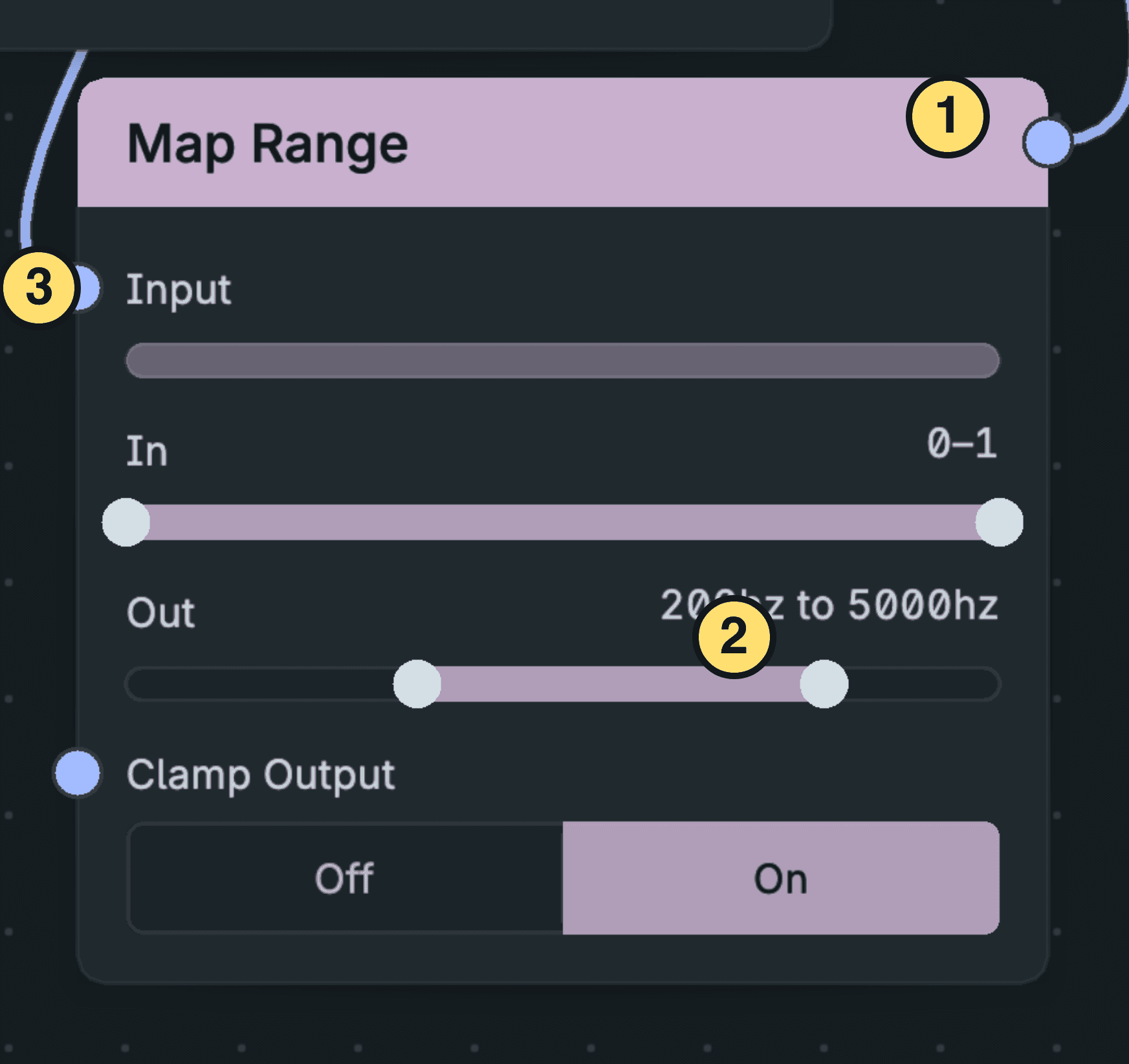
A Node’s Title, Controls And Sockets.
- Title — names the node. Its colour shows its category.
- Controls — set parameters with sliders, toggles and choosers.
- Sockets — carry signals into and out of the node.
A node can also have an editable display, such as an envelope curve. These controls stay part of the node while a cable or Macro drives their values.
Each placed node has its own settings. Two Oscillators can use different waveforms and pitches in the same patch. A Group is also a node on its parent canvas, but holds an editable collection of nodes. The editor explains how its canvas fits into the workspace.
2.2.2. Sockets and parameter inputs
A socket is a node’s signal entry or exit. Inputs sit on the left, and outputs sit on the right. Socket shape and colour show the signal kind. The numbered picture distinguishes the socket positions on a node.
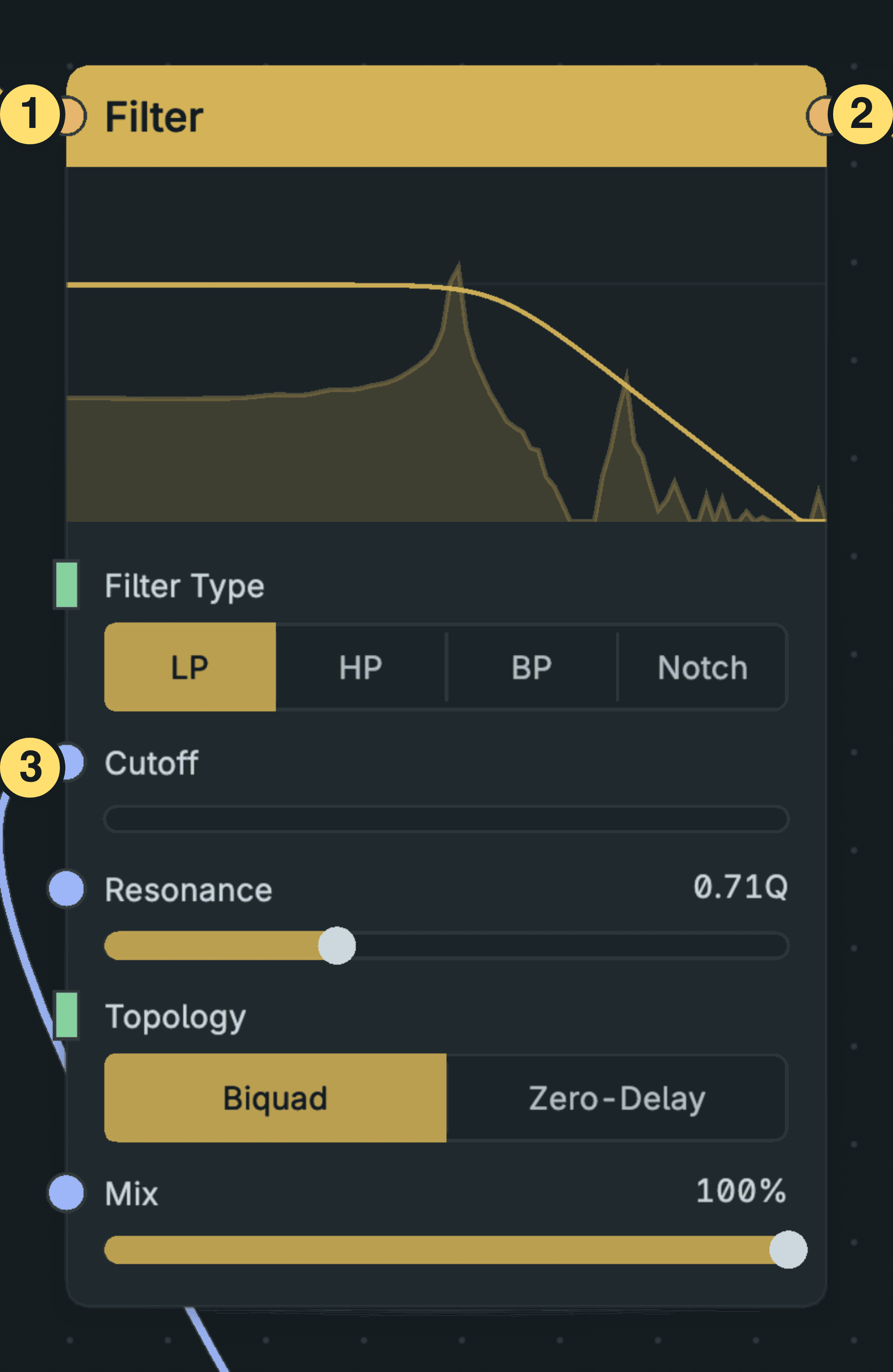
Input, Output And Parameter Sockets.
- Input — receives a signal on the left of the node.
- Output — sends a signal from the right of the node.
- Parameter input — receives a control signal at the left of its parameter row.
A parameter input lets a cable set that control’s value. While the cable drives it, the slider does not accept a manual drag. Removing the cable makes the manual control available again.
A parameter has one driver at a time: its manual value, one cable or one Macro. A Macro binding prevents a new cable until you remove the binding. Socket compatibility also depends on the signal kind, unit and expected range; matching colours alone do not guarantee the musical result you want.