 Strangelight Audio
2.5. Frames, Groups and Zones
Frames, Groups and Zones organise a patch in different ways. Structure a patch teaches their creation, editing and removal.
2.5.1. Frames
A Frame is a labelled outline that surrounds a set of nodes. It marks a part of the patch without changing its cables or sound. For example, a Frame can label an arpeggiator and its timing source as one readable area. Those nodes still work on the same canvas and keep their original signal routes.
A Frame has no sockets and adds no processing stage. Its title names the area, not a new sound source. Moving the title bar moves the Frame with its member nodes. Deleting the Frame removes the outline while keeping the nodes, positions and cables.
Frames work on the root canvas and inside Groups. They save with the patch, so labels can explain your intended layout when you return later. Use a Frame to keep nodes visible together when the distinction is organisational.
See Frames.
2.5.2. Groups
A Group is a collection of nodes folded into one node on its parent canvas. Its own canvas holds the detail. The parent shows only the sockets you expose, which makes a larger patch easier to read. In the picture, the Echo Group exposes audio input and output sockets for its internal Delay.
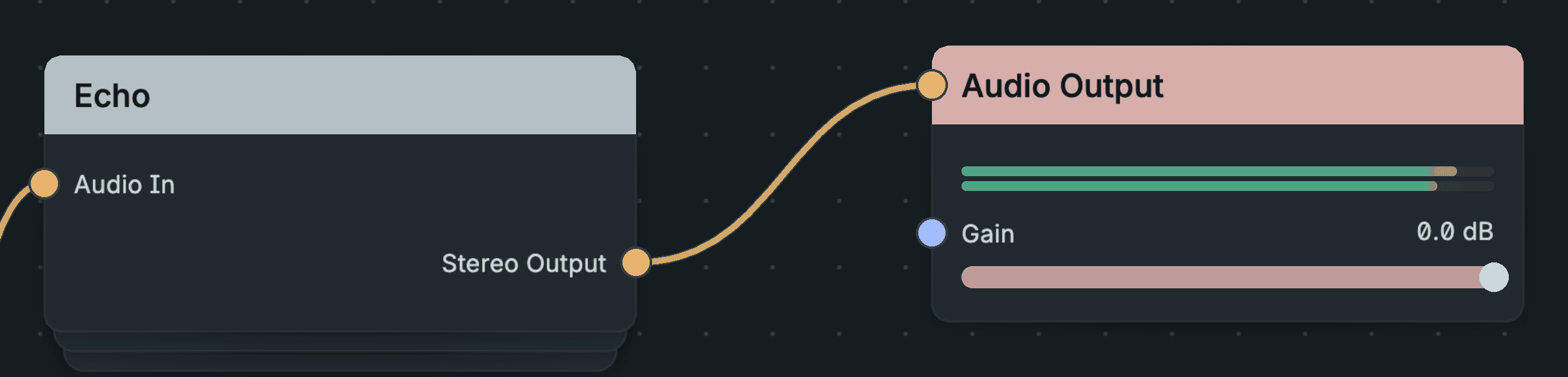
A Group Exposing Its Audio Signals.
Groups organise a patch without changing how its nodes run. You enter a Group to edit it and use breadcrumbs to return to a parent canvas. Groups can contain other Groups, so breadcrumbs describe the route through those nested canvases.
Group Input and Group Output define how signals cross the boundary. Saving a Group to the Local Library lets you place copies in other patches. Each placed copy keeps its own graph and settings. A Group’s visible node is an interface to that collection, not a permanently closed instrument.
See Groups.
2.5.3. Zones
A Zone is a canvas region that changes how its nodes run. Its members stay visible on the canvas you are already using. The Polyphony Zone is the current Zone type: it runs the voice separately for active notes. The picture shows that region between its Polyphony Input and Polyphony Output nodes.
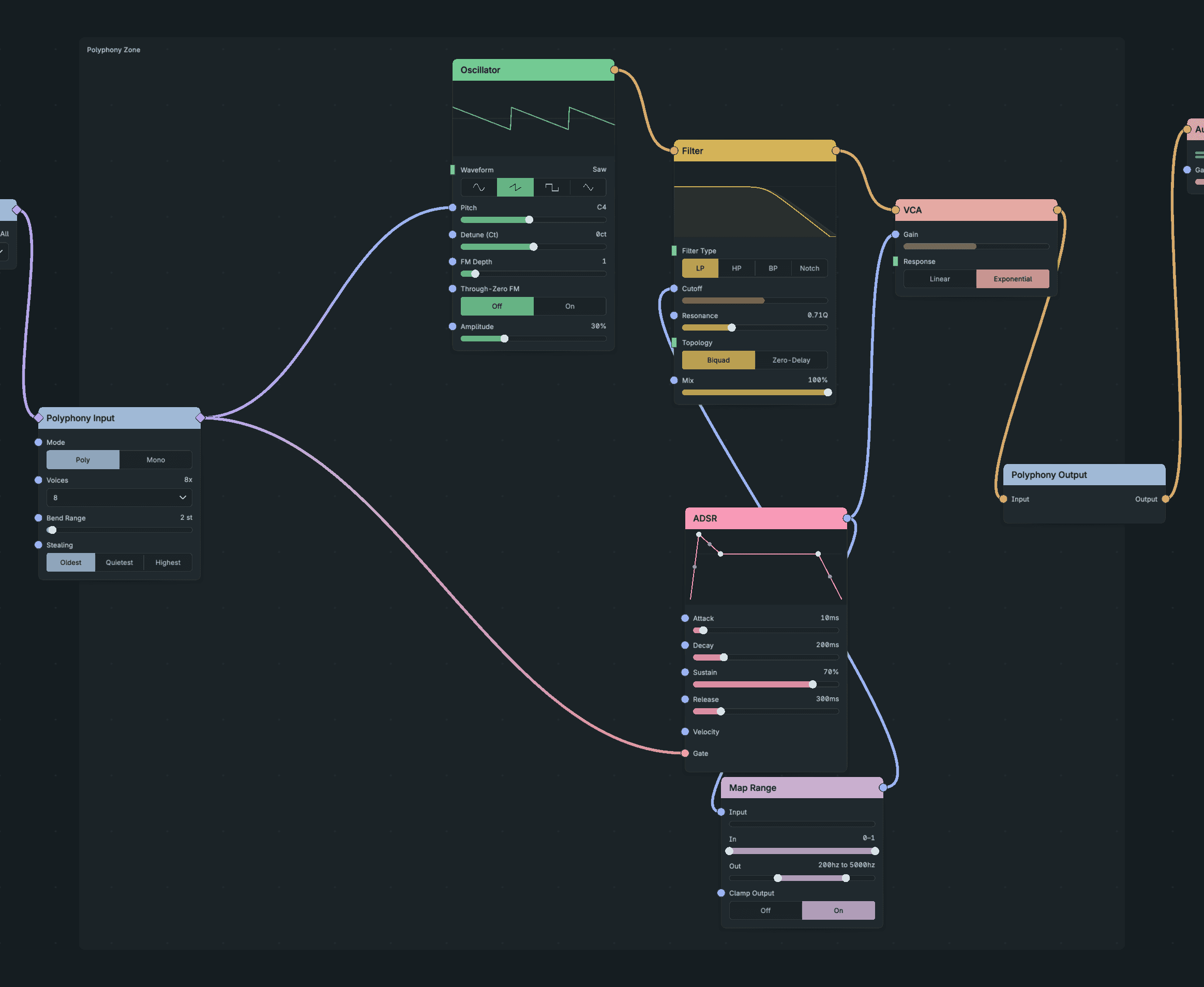
A Zone Keeping Its Voice Visible Inline.
Cables decide Zone membership. Dragging a node over the outline does not make it a member. Connecting an outside node into a member can adopt it into the Zone, and moving a member outside stretches the outline to include it.
Signals cross the boundary through its input and output nodes. A Zone is never entered and never appears in breadcrumbs. Unlike a Frame, it changes execution; unlike a Group, it keeps its members inline. Polyphony explains voice routing and the limits on adoption.
See Zones.