 Strangelight Audio
2.6. Voices and polyphony
Polyphony lets a patch play more than one note at a time. Polyphony teaches how to wrap a voice and control its behaviour.
2.6.1. Voices
A voice is one copy of the sound-making nodes used to play a note. In a Polyphony Zone, each active voice can have its own oscillator, filter and envelope state. The nodes on the canvas describe the voice once; Throughline runs copies as notes arrive. The picture shows the voice between the Zone’s two boundary nodes.
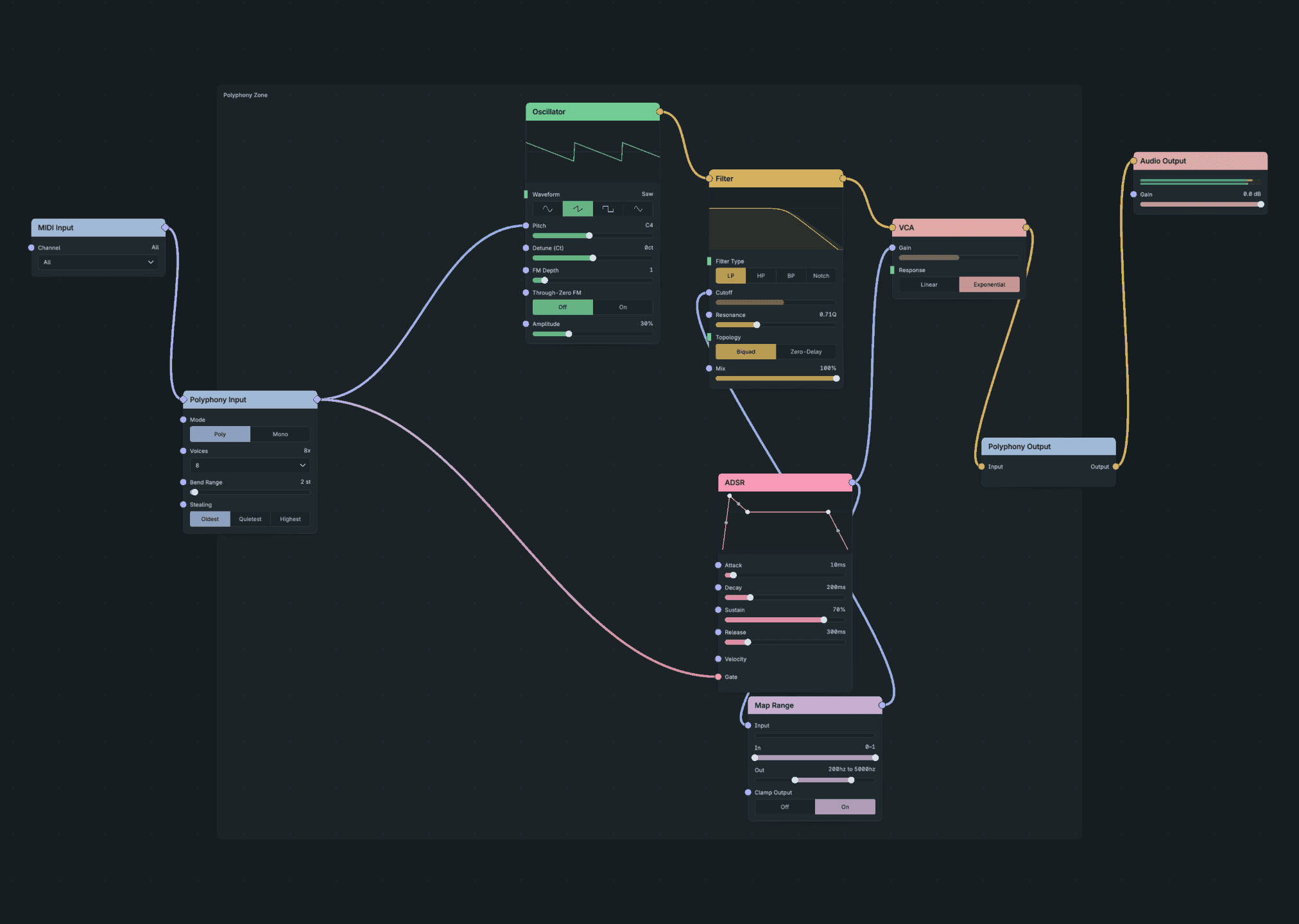
One Authored Voice Played As Separate Notes.
Polyphony Input receives the note source, assigns notes to voices and holds voice controls. Polyphony Output adds the voices together before sending the result to the surrounding patch. A released note can continue through its envelope’s release stage, so sounding voices are not always the same as keys still held.
A voice’s controls decide its own sound. A Macro bound to a parameter inside the Zone changes that parameter across the voices. So the patch keeps one control surface while each note keeps its own playing state.
2.6.2. Polyphony and shared processing
Polyphony is the ability to play separate voices at the same time. A Polyphony Zone gives the nodes inside it that repeated execution. Nodes outside run once for the surrounding patch. The picture places a delay after Polyphony Output, so it receives the mixed voices instead of running separately for each note.
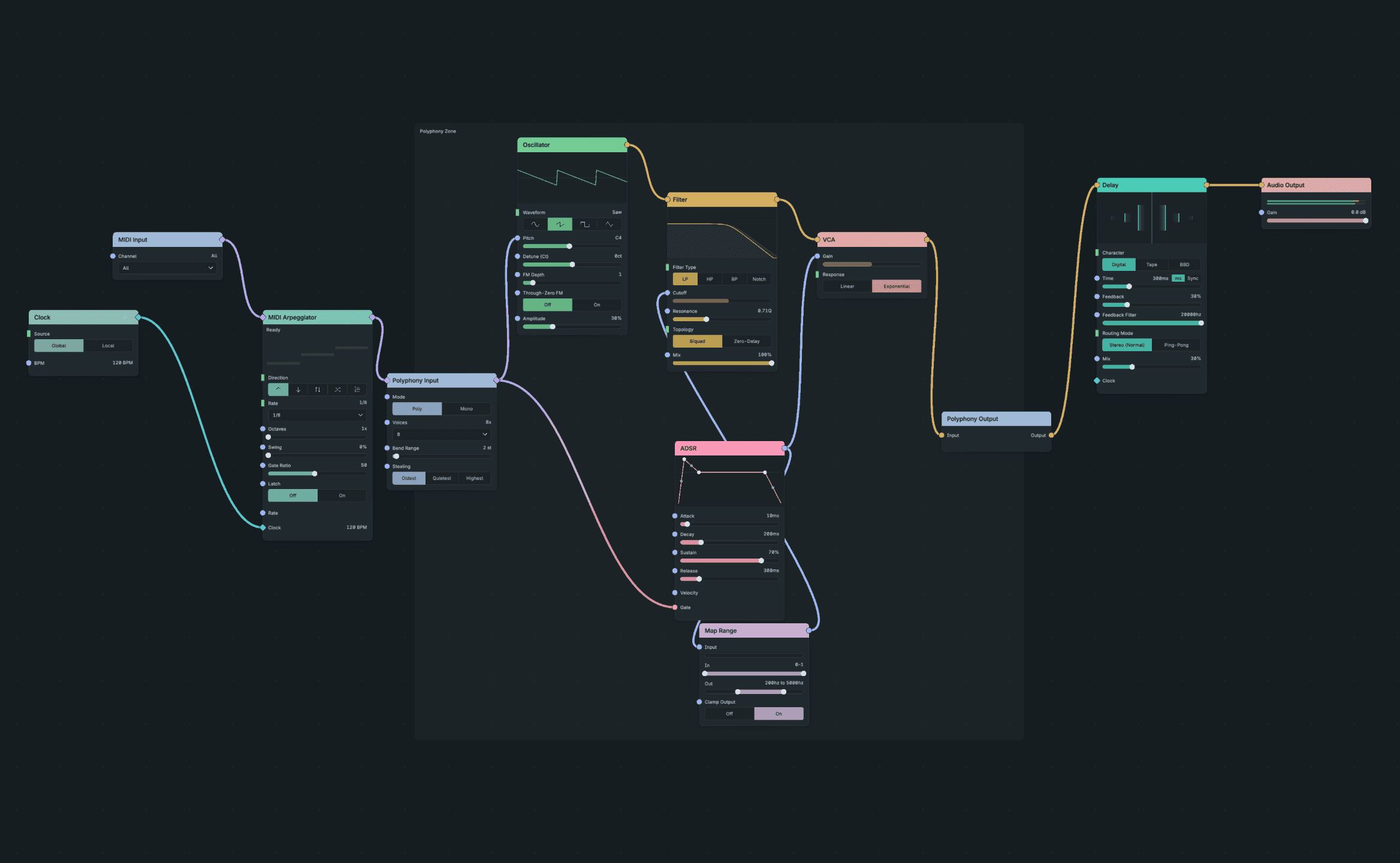
A Shared Delay After The Voice Mix.
An envelope inside the Zone can follow each note independently. A delay outside processes the complete chord together. That placement also avoids repeating the effect for every voice.
Polyphony Input’s Mode chooser selects Poly or Mono behaviour, and its Voices control limits the available voices. When all voices are busy, the stealing setting decides which voice a new note takes.
Level increases with voices: Polyphony Output adds them together. Leave headroom in the voice: a single note can sound clean while a chord clips.
See Shared or per-voice.