 Strangelight Audio
3.1.1. Make a connection
A cable carries a signal between compatible sockets. Check the signal kind, unit and range before choosing its destination.
A cable starts at an output and ends at an input.
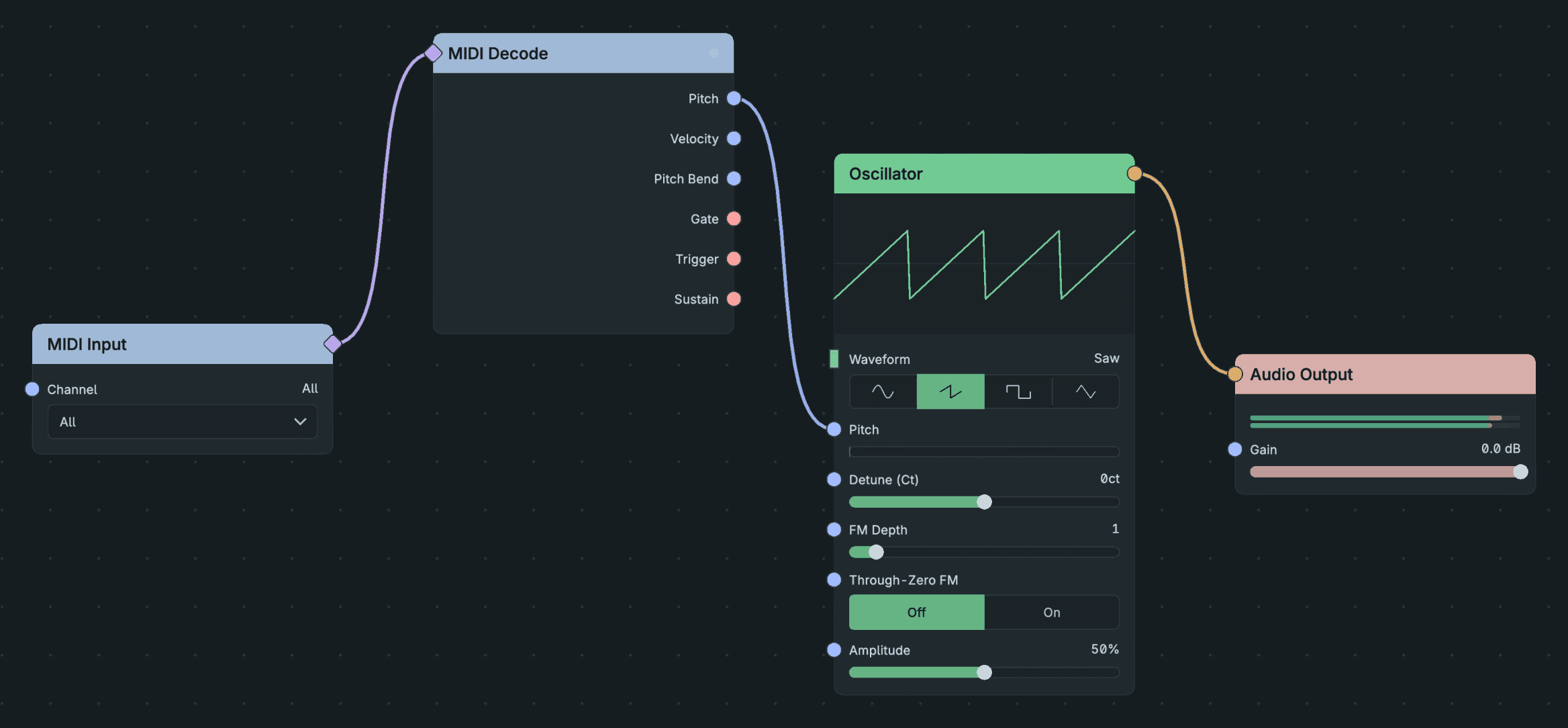
Make A Connection.
- Find the Oscillator output socket on its right side.
- Drag from that socket to Audio Output Audio In.
- Release over the input socket.
Result: one cable carries the oscillator signal to the output.
- Socket to socket: drag from an output to an input and release over the input socket.
- Socket to empty canvas: drag from a socket and release over empty canvas. A menu lists only the nodes that can connect there. Choose one to add it already connected.
- Into an existing cable: zoom in until a + appears at the middle of a cable, then click it. Choose a node to insert between the two ends.
- One output, more than one input: an output can feed any number of inputs. Drag from it again to add another cable.
To remove a cable, click it and press Option+Shift+Delete (macOS) or Alt+Shift+Delete, or drag across it with the Cut tool (B). See Editing and navigation.