 Strangelight Audio
5.3. Combining sound sources
Every audio patch starts with a node that makes sound. Pick the source by the character you want:
| You want | Use | Why |
|---|---|---|
| A clean pitched tone | Oscillator | Classic waveforms, plus pulse width, FM and sync |
| A tone whose character changes during a note | Wavetable | Position scans through a bank of waveforms and accepts modulation |
| Percussion, breath or texture | Noise | White, pink or brown unpitched noise |
| Struck, plucked or ringing bodies | Modal Resonator | Tuned modes that ring when another signal excites them |
A source on its own drones. Add an envelope and a VCA to start and stop each note; Lesson 1: A playable voice shows how.
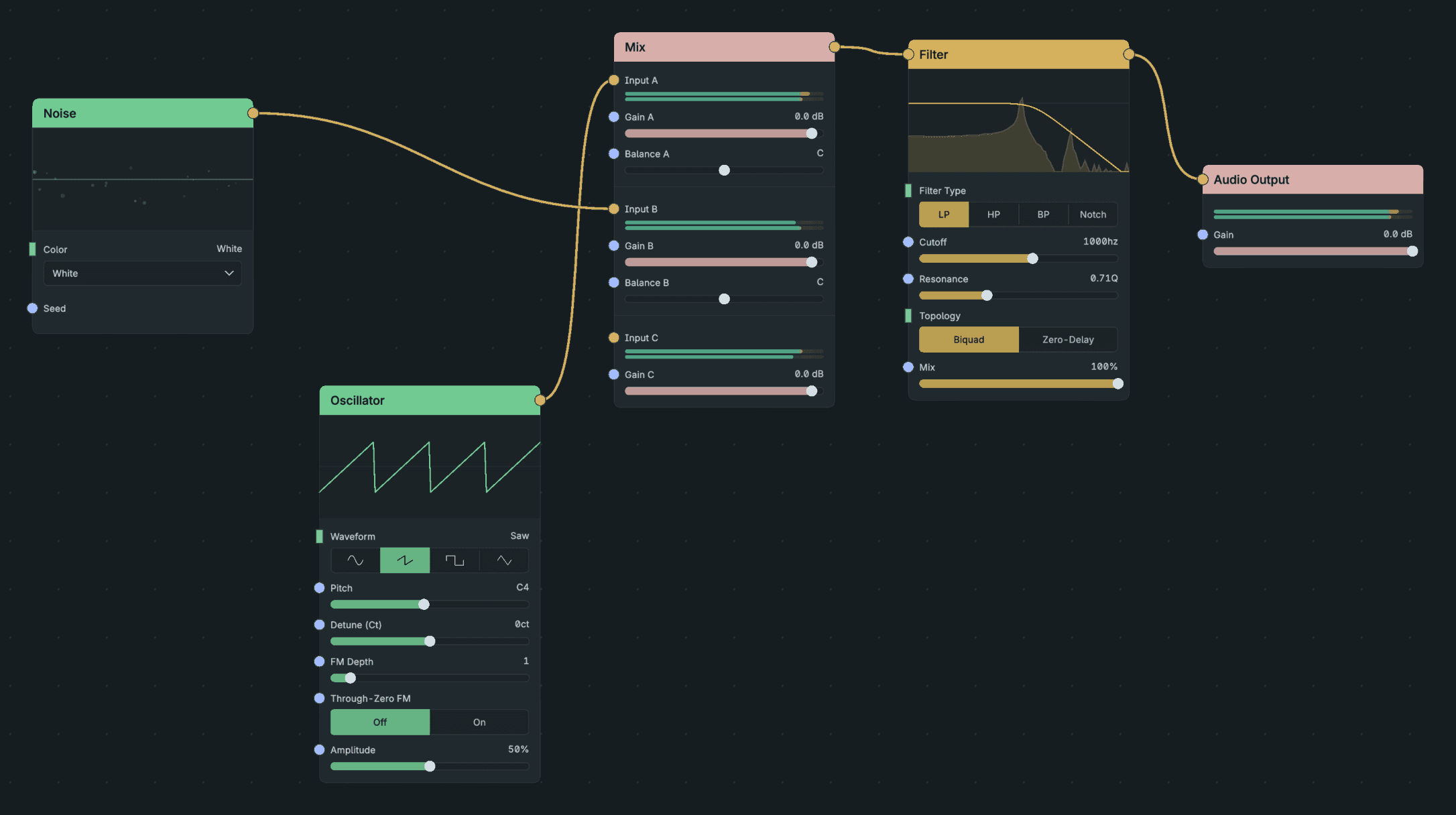
Combining Sources.
- Add Oscillator, Noise and Mix.
- Connect Oscillator Signal to Mix A and Noise Signal to Mix B.
- Connect Mix to a shared Filter, then Audio Output.
Result: the two sources share one downstream processing path.
- Thicker oscillator: combine two Oscillators with a small detune in Mix. See Polyphony or unison.
- Moving timbre: sweep Wavetable Position with an envelope or LFO, the same way you sweep a filter. See Modulate a parameter.
- Stepped random values: feed Noise into Sample & Hold.
- Struck sounds: Modal Resonator is silent until an input signal excites it. Send it a short burst of noise shaped by a fast envelope:
Diagram as text
Noise connects to VCA via Audio. ADSR, short connects to VCA via Envelope. VCA connects to Modal Resonator via Audio. Modal Resonator connects to Audio Output via Audio.
graph LR
    NOISE[Noise] -->|Audio| VCA[VCA]
    ADSR[ADSR, short] -->|Envelope| VCA
    VCA -->|Audio| RES[Modal Resonator]
RES -->|Audio| OUT[Audio Output]- Layers: combine sources in Mix before a shared filter. See Effects and mixing.
Each source's reference page lists its controls and ranges.