 Strangelight Audio
3.1.2. Read what a cable carries
A cable carries a signal between compatible sockets. Check the signal kind, unit and range before choosing its destination.
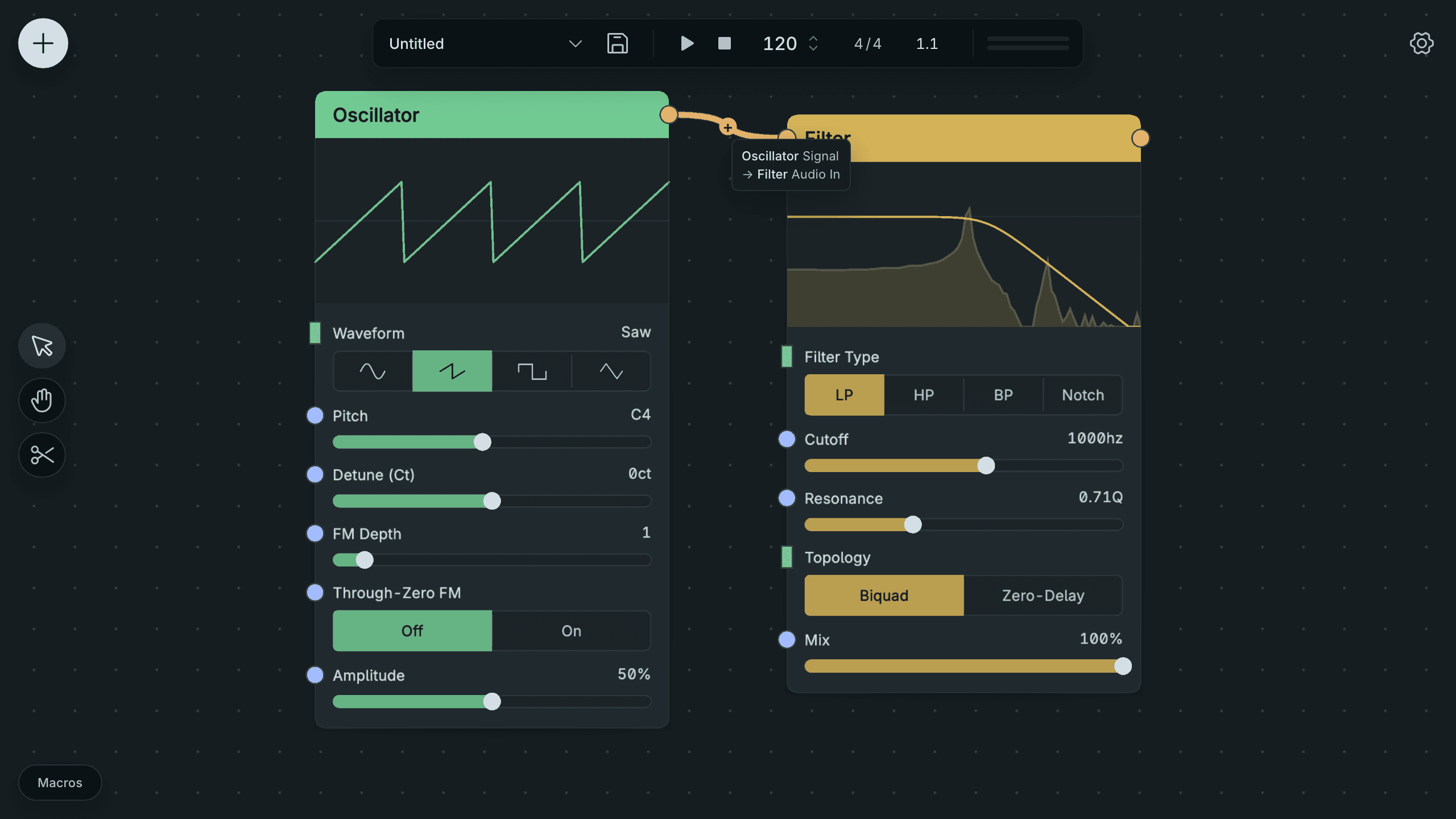
Read An Audio Cable In Help.
- Point at the cable you want to check. Help names its two ends, for example Oscillator Signal → Filter Audio In.
- Point at the socket at each end.
- Read its kind, unit and range in Help.
Result: you can compare the source signal with the destination socket.
Help appears beside the pointer after a short pause.
Three properties decide what a connection does:
- Kind is what flows: audio, control, gate, trigger, MIDI or a structured type such as Clock.
- Unit is what a number means: Hz, milliseconds, a MIDI note number or a 0–1 level.
- Range is the values the socket expects.
Look at Lesson 2: Shape its tone. ADSR Envelope and Filter Cutoff are both control sockets. The envelope moves between 0 and 1, but Cutoff expects 20 Hz to 20 kHz. The Map Range node turns one range into the other, so the envelope sweeps a cutoff range you choose. When a connection works but sounds wrong, compare the two sockets' units and ranges first.