 Strangelight Audio
4.5. Inspecting signals
When a patch does not do what you expect, look at the signal before you change anything. A Monitor shows what a cable carries without changing it.
4.5.1. Check a cable with Monitor
Monitor reads the signal at the point where its input cable branches.
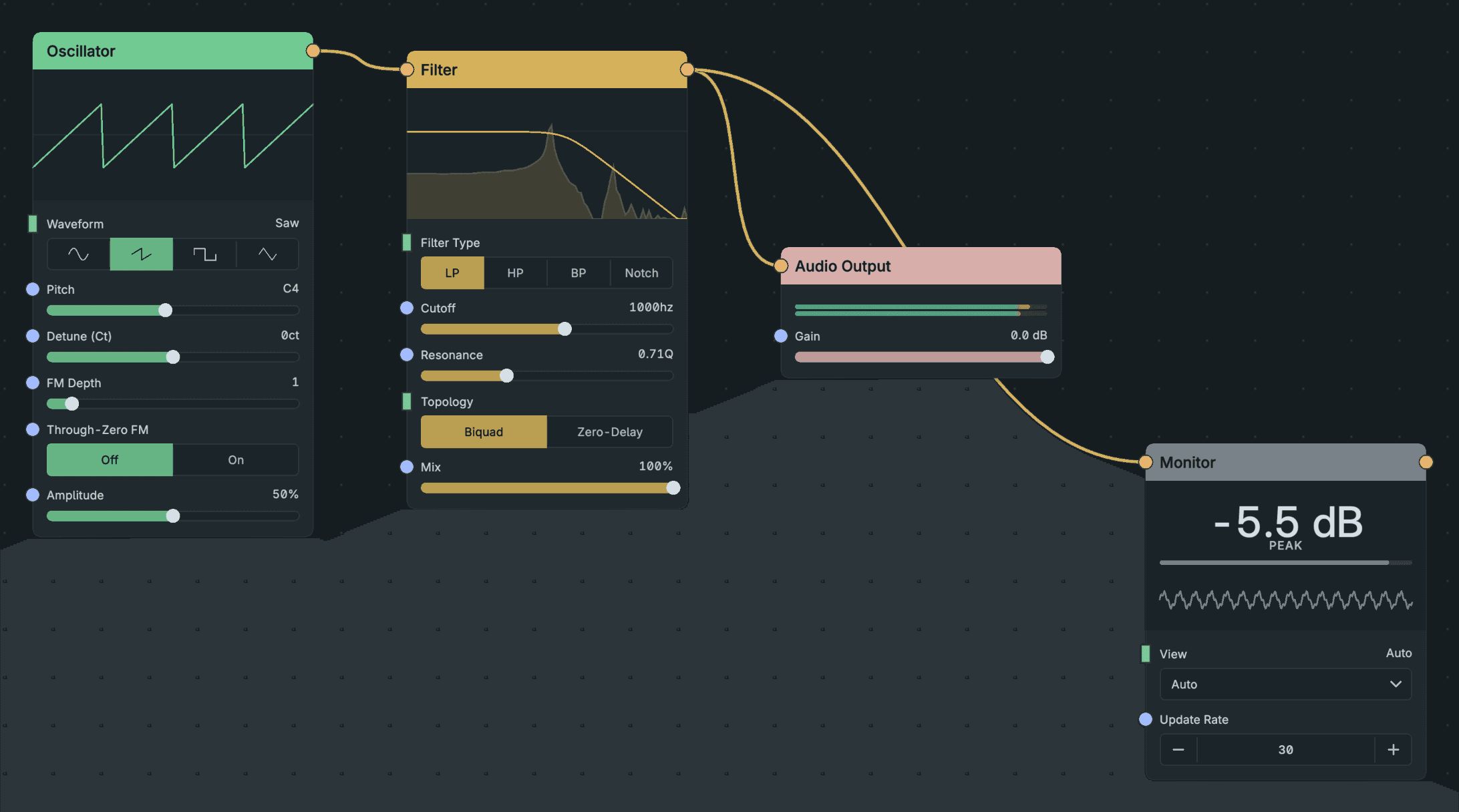
Check A Cable With Monitor.
- Add a Monitor next to the cable you want to check.
- Connect the cable's source to the Monitor's input, alongside the existing cable. You can also put the Monitor in the middle of the cable: it passes its input through unchanged.
- Play the patch and read the display.
Monitor accepts every kind of signal and picks a display for it. Audio shows level and waveform, and a control signal shows its value and recent range. A gate shows on/off, a Clock shows tempo and beat, and MIDI shows the notes and chord. Its reference page lists every view.
Read the status before trusting the display:
- NO SIGNAL: nothing has arrived. Check the cable and the node feeding it.
- STALE: the last data is out of date. Do not read it as the current signal.
- NO PREVIEW: this signal or view has no live preview.
Result: the display reveals the signal at the point you chose.
4.5.2. Find where a MIDI chain goes wrong
Leave a Monitor inline in a MIDI chain. It shows held notes on a keyboard, with velocity as brightness and pedal-held notes dimmed, and names the chord. Move it along the chain to see whether a problem starts before or after a given node. See MIDI recipes.
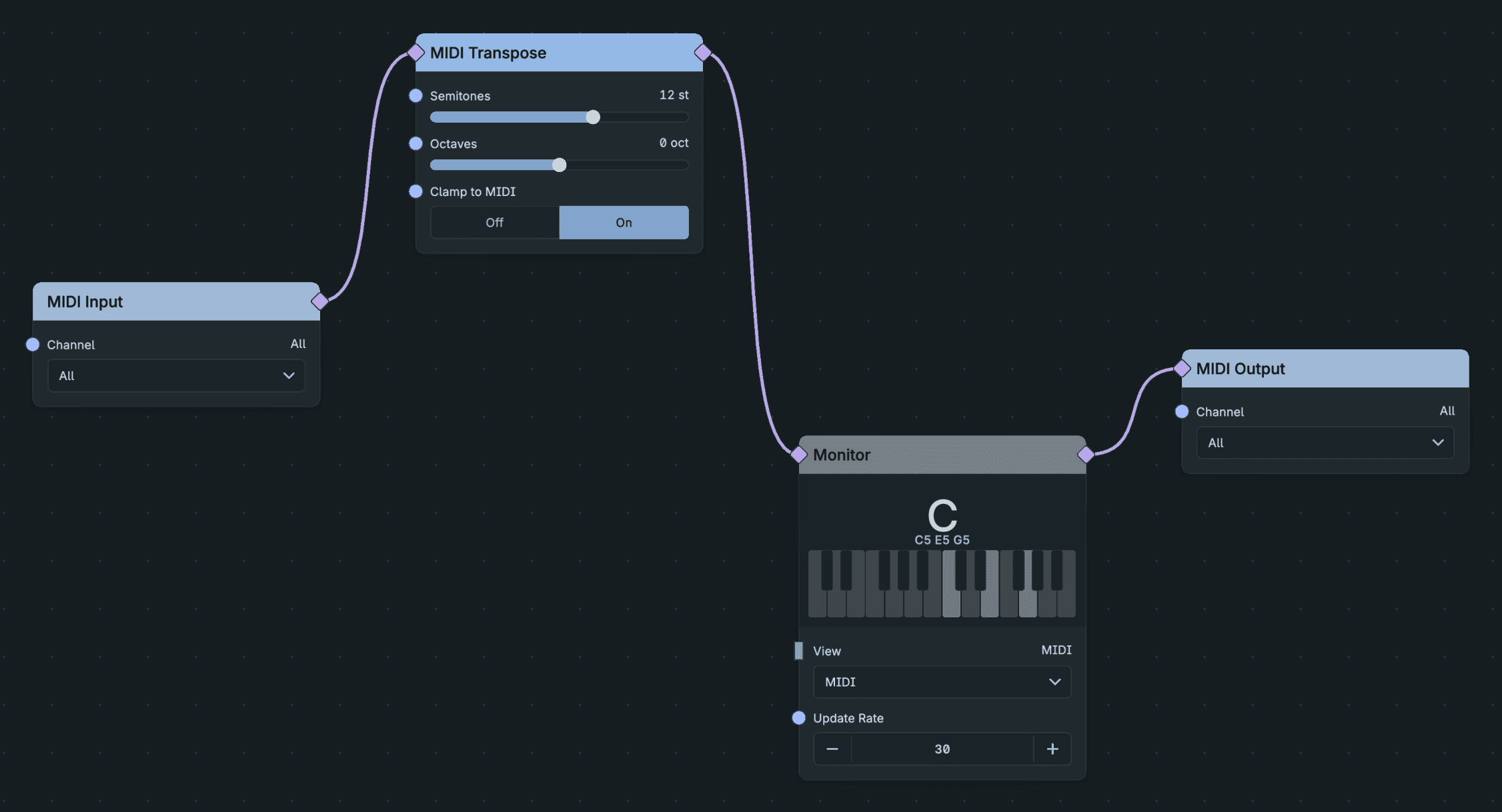
Inspect The Notes In A Midi Route.
4.5.3. Catch a hot level
- RMS Meter shows average and peak level. Put it on the audio feeding Audio Output. If Peak stays at the top, lower the level upstream with Gain, lower the voices' level, or add a Limiter. See Effects and mixing.
- The output meters at the top right of the editor show what Throughline sends to your DAW.
4.5.4. Use level as modulation
Envelope Follower turns an audio level into a control signal. Connect it to a parameter input, for example to open a filter when a drum loop gets loud. See Control signals and logic.
4.5.5. Read a node's own display
A node can draw its own state. ADSR draws its envelope, Filter and EQ draw their response, and Shaper draws its shape. Check the node before adding an analyser.
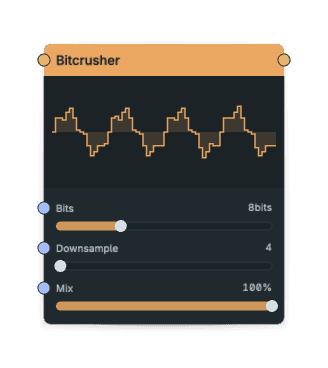
Bitcrusher Controls.
- Bitcrusher draws a staircase: lower Bits makes taller steps, and higher Downsample holds them for longer. It uses incoming audio when available and an example waveform while idle; the steps are exaggerated above 4 bits to keep the changes readable.
- Limiter shows an example drum-loop envelope. Ceiling flattens the peaks, Makeup pushes more of them into limiting, and Attack and Release change the catch and recovery. Use Monitor or a meter to measure your incoming audio; this display illustrates the settings.